
CRM
Zoho CRM vs Custom CRM: Which Is Better for Your Business?
Written by Web6 Editorial Team · Published 4 September 2026 · 18 min read
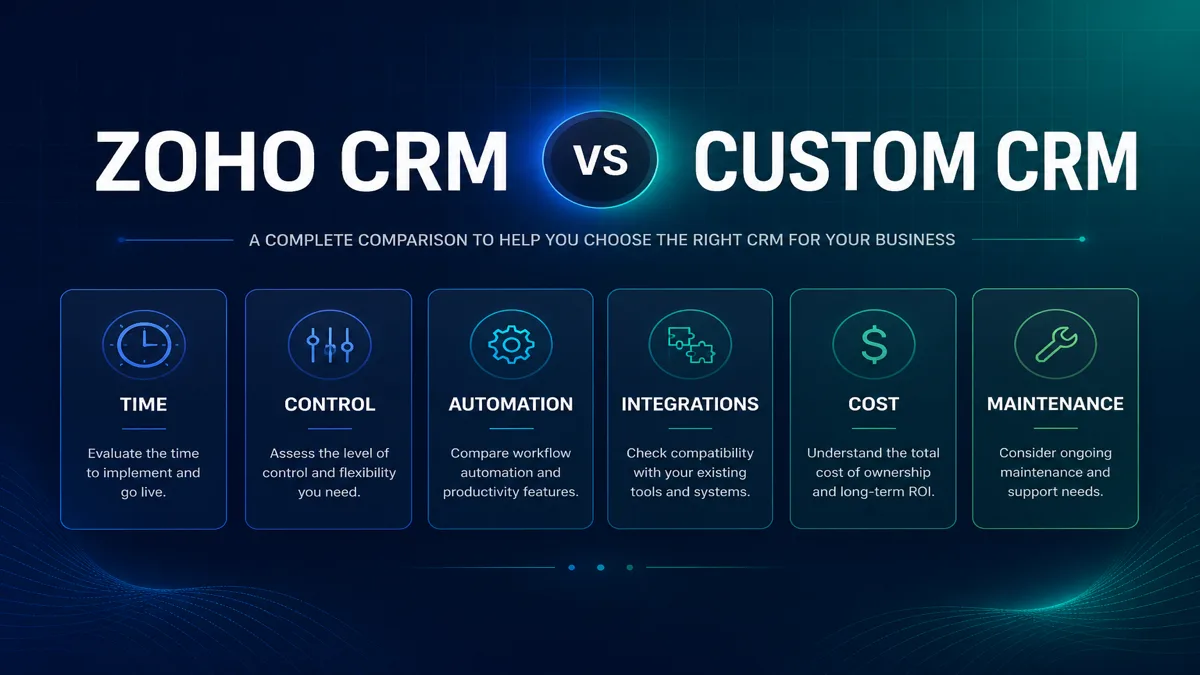
Choosing between Zoho CRM and a custom CRM is not a brand preference exercise. It is an architecture decision: can a configurable SaaS CRM model your sales and operational process with acceptable complexity — or do unique workflows, data models, permissions and integrations make a purpose-built system the cleaner long-term path?
This guide compares Zoho CRM vs custom CRM across process fit, time to value, customization, integrations, UI, ownership, maintenance and total cost. It is intentionally balanced. Web6 delivers both Zoho CRM development and custom CRM development — so the recommendation here follows requirements, not a preferred product label.
For deeper Zoho delivery detail, see the Zoho CRM implementation guide, Zoho CRM customization guide and Zoho CRM integration guide.
Zoho CRM or custom CRM — which is better?
Neither is universally better. Zoho CRM is often worth evaluating when standard CRM capabilities — pipelines, contacts, deals, automation, Blueprint process control, reporting and APIs — plus configuration and customization can support how the business sells. Custom CRM becomes more relevant when workflows, permissions, data models, interfaces or integrations are sufficiently unique that forcing them into a packaged CRM creates excessive complexity, brittle automation or ongoing workarounds. Many businesses also succeed with a hybrid: Zoho CRM as the sales system of record, with custom apps or middleware for the one or two workflows SaaS CRM should not own.
Decision model: how to choose
Work through these layers in order. Skipping to “cost” or “UI polish” without process fit usually produces the wrong system.
- Process fit — Can the CRM represent how work actually moves?
- Time to value — How quickly can a usable system go live?
- Customization — How far must behaviour change from standard CRM?
- Integrations — What must sync with ERP, website, WhatsApp, accounting?
- UI/UX — Do users need CRM screens, or a purpose-built operational interface?
- Data model — Do standard modules map cleanly, or is the domain proprietary?
- Maintenance — Who keeps the system healthy after launch?
- Ownership — How important is platform independence?
- Total cost — Licenses + implementation + change over years, not month one.
- Future change — How often will processes and integrations evolve?
Zoho CRM vs custom CRM comparison
Use this as a planning frame — not a scorecard that declares a winner. “Depends” means scope and edition/architecture matter.
| Factor | Zoho CRM | Custom CRM |
|---|---|---|
| Setup speed | Strong for standard sales CRM | Depends — longer discovery and build |
| Built-in CRM features | Strong (pipelines, activities, reports) | Depends — must be designed and built |
| Custom modules / fields | Customizable (edition-dependent) | Strong — fully designed |
| Automation | Strong (workflows, Blueprints, functions) | Strong — engineered to process |
| Process / workflow control | Strong with Blueprint where available | Strong — purpose-built states |
| UI / UX control | Depends — configurable within platform | Strong — full interface design |
| Data model flexibility | Customizable within CRM paradigms | Strong — domain-first schema |
| Integrations | Strong via APIs, connectors, middleware | Strong — designed around systems |
| Maintenance model | Platform + configuration/custom code | Application + infra + security ownership |
| Hosting | Zoho-managed SaaS | Your cloud / vendor-managed stack |
| Platform dependency | Higher (SaaS platform) | Lower product lock-in; higher build lock-in |
| Ownership / control | Data access + config; platform owned by Zoho | Strong architectural control of the app |
| Product updates | Vendor-driven platform releases | You schedule and fund changes |
| Development resources | Admin / implementer / Deluge / API skills | Product, engineering, QA, DevOps |
| Cost structure | Subscription + implementation + support | Build + hosting + ongoing engineering |
Zoho CRM strengths
Zoho CRM is a mature SaaS CRM with sales pipelines, lead/contact/account/deal management, activities, reporting, automation and an ecosystem of related Zoho and third-party products. Official Zoho documentation describes capabilities such as workflow automation, Blueprint for process management, custom modules, portals (on qualifying editions), approvals, sandboxes (on higher editions), and extensibility through Deluge functions, APIs and related developer tooling.
- Built-in CRM foundation: You do not rebuild contacts, deals, tasks, email logging or basic reporting from scratch.
- Pipelines and sales process: Multiple pipelines and stage-based selling are core product strengths.
- Automation: Workflows and process management help enforce consistency without coding every rule from zero.
- Blueprint: Useful when stages, transitions and required actions must be controlled — including associating functions on transitions (see Zoho developer docs).
- Configuration depth: Fields, layouts, roles, profiles and custom modules cover many industry variants.
- Deluge and APIs: Serverless functions and CRM APIs support integrations and custom logic inside the Zoho ecosystem.
- Time to value: A well-scoped implementation can put a usable CRM in front of sales faster than greenfield software.
Confirm current edition features and limits on Zoho’s official CRM pricing and feature comparison pages before committing — capabilities vary by edition and change over time.
What “customization” usually means on Zoho
Most successful Zoho programmes stay on the left side of the spectrum for as long as possible:
- Configure — fields, layouts, pipelines, roles, reports
- Automate — workflows, assignment rules, approvals
- Control process — Blueprint stages and transition rules
- Extend with code — Deluge or other functions on buttons, schedules, Blueprint transitions
- Integrate — APIs, Zoho Flow, middleware to ERP/website/WhatsApp
Jumping straight to heavy Deluge for problems that configuration can solve creates maintenance debt. Zoho’s developer documentation shows functions can be associated with Blueprint transitions and other triggers — powerful when used sparingly and documented.
Zoho CRM limitations to understand (without exaggeration)
Zoho CRM is powerful within a CRM product model. Limitations are real — but they are not reasons to dismiss it for every business.
- Platform constraints: You work inside Zoho’s modules, UX patterns, automation engines and API limits.
- Edition-dependent features: Process management, portals, sandbox, advanced automation and developer features are not identical across Free, Standard, Professional, Enterprise and Ultimate. Buying the wrong edition creates forced workarounds.
- UI and data-model boundaries: You can customize heavily, but you may not get a fully proprietary operational UI or a schema that ignores CRM conventions.
- Ongoing subscription: License cost scales with users and edition — separate from implementation fees.
- Customization debt: Heavy Deluge, tangled workflows and undocumented automations accumulate maintenance cost — the same risk class as poorly governed custom software.
When requirements push Zoho toward continuous exception coding, reassess whether the CRM is still the right system of record — or whether a hybrid or custom system would be cleaner. That reassessment is covered in the customization guide.
Custom CRM strengths
A purpose-built CRM (or CRM-like operational system) is designed around your domain — not adapted from a generic sales object model.
- Business-specific workflows: Approvals, RFQ-to-order, dealer credit, multi-warehouse allocation or industry stages can be first-class.
- Custom UX: Screens for floor sales, factory planners or distributor portals can match how people work.
- Data model ownership: Entities and relationships reflect the business, not only Leads/Deals/Accounts.
- Integration-first design: ERP, ecommerce, messaging and portals can be designed as core architecture rather than bolted add-ons.
- Architectural control: Stack, hosting, release cadence and security model are yours to define with your vendor or team.
Custom CRM tradeoffs
Custom is not “better CRM” by default. It is a product programme.
- Development effort: Discovery, design, engineering, QA and documentation before users get a usable V1.
- Testing burden: You own regression coverage for workflows that SaaS vendors already battle-test for standard CRM.
- Maintenance: Bug fixes, feature changes, dependency updates and monitoring never stop.
- Security and compliance: Access control, backups, encryption, audit logs and incident response are your responsibility (or your vendor’s contracted duty).
- Infrastructure: Hosting, scaling, environments and uptime operations.
- Longer initial implementation: Even a focused custom CRM usually takes longer to first usable release than configuring Zoho for a standard pipeline.
- Technical dependency: You depend on internal engineers or a development partner who understands the codebase.
If the business mainly needs pipeline discipline, activity tracking and reporting, building custom CRM can be an expensive way to recreate Zoho’s basics.
When “custom CRM” is actually an operations product
Be precise about what you are building. Many requests labeled “custom CRM” are really:
- a dealer portal with pricing and reorder,
- an RFQ / quote desk with attachments and approvals,
- a field service or visit-scheduling app,
- or a thin UI over ERP that should not own customer master data.
Those may still need custom software — but the CRM layer might remain Zoho (or another SaaS CRM) for pipeline and relationship history. Misnaming the problem leads to overbuilding a second ERP inside “CRM.”
Cost structure — without invented package prices
Compare cost categories, not a single headline number. Web6 does not publish fixed CRM package prices here; accurate quotes need discovery.
Zoho CRM cost lines
- Zoho license / subscription: Per-user pricing varies by edition and billing country. As published on Zoho’s India CRM pricing page (verify before budgeting; prices change), illustrative paid edition bands have included Standard around ₹800/user/month, Professional around ₹1,400/user/month and Enterprise around ₹2,400/user/month, with a Free edition for limited users and higher Ultimate options for large deployments. Taxes may apply.
- Implementation and customization: Discovery, configuration, Blueprint, Deluge, training — project fees.
- Integrations: Website, ERP, WhatsApp, accounting — often a major line item.
- Support and optimization: Post-launch retainers or internal admin time.
Custom CRM cost lines
- Discovery and design: Process mapping, UX, data model, non-functional requirements.
- Development: Backend, frontend, roles, workflows, reporting.
- Hosting and tooling: Cloud, monitoring, CI/CD, third-party services.
- Maintenance and change: Ongoing engineering for bugs, features and security.
A cheap Zoho license with heavy unpaid internal chaos is not low cost. A custom CRM with unused modules is not strategic. Compare three-year total cost of ownership for the same business outcomes.
Hybrid architecture: Zoho + custom apps (often the smart middle)
Many Gujarat manufacturers, distributors and service businesses do not need to replace CRM entirely. A hybrid pattern often wins:
- Zoho CRM owns leads, opportunities, activities, sales reporting and customer communication history.
- Custom application or portal owns the unusual workflow — dealer ordering, complex quoting, field operations, inventory-facing screens.
- Middleware / APIs keep systems synchronized with clear system-of-record rules.
Example: Website RFQ → Zoho CRM opportunity → sales quote → custom dealer portal order → ERP. CRM stays the sales brain; ERP stays operations; custom UI handles the awkward middle without turning Zoho into a fragile mini-ERP.
Choose hybrid when CRM works for 80% of selling, but one workflow is too unique for clean SaaS modeling. See the integration guide and ERP development when systems of record span CRM and operations.
Hybrid anti-patterns
- Duplicating order and inventory truth in both CRM and ERP “just in case”
- Building a custom app that re-implements Zoho’s entire pipeline because one screen was ugly
- Syncing every field in real time without conflict rules or failure alerts
- Letting WhatsApp remain the unofficial CRM while both systems sit empty
Hybrid works when ownership is explicit: which system creates the customer, which creates the order, which owns pricing, and who fixes sync failures.
Which option fits common business scenarios?
Sales team with a standard pipeline
Lean Zoho. Leads, deals, tasks, email and forecasting are core CRM. Implementation quality matters more than custom software.
Manufacturer (enquiry → RFQ → quote → order)
Often Zoho + integrations, sometimes hybrid. If quoting and follow-up are sales-led, Zoho with custom modules and ERP sync may suffice. If the “CRM” must behave like a manufacturing order desk with shop-floor states, evaluate custom or hybrid carefully.
Real estate / property sales
Often Zoho or specialized real-estate CRM. Pipelines, site visits and inventory of units can work in configured CRM. Custom becomes more relevant for highly proprietary booking, payment schedules or multi-project portals.
B2B distributor / dealer network
Depends. Simple dealer leads and account management → Zoho. Account-specific pricing portals, bulk reorder and ERP credit enforcement → often custom portal + CRM/ERP, not CRM alone. Related reading: B2B website development for Gujarat manufacturers.
Local service company
Usually Zoho (or even lighter tools). Appointment-driven or lead-driven service businesses rarely need custom CRM on day one.
Complex operations where CRM is the product
Evaluate custom. When the software is competitive advantage — unique workflows, multi-party coordination, proprietary scoring, industry-specific UX — packaged CRM becomes a constraint rather than a foundation.
Decision matrix
| If this is true… | Then evaluate… |
|---|---|
| Standard CRM + automation can model the process | Zoho CRM |
| Custom workflows dominate day-to-day work | Custom CRM |
| CRM works, but one workflow is unique | Hybrid (Zoho + custom app/integration) |
| You need fastest path to pipeline discipline | Zoho CRM (scoped implementation) |
| UI must match floor / dealer / field operations precisely | Custom or hybrid |
| ERP is already system of record for orders/stock | CRM for sales + integration — avoid duplicating ERP |
| Team cannot sustain engineering maintenance | Prefer SaaS CRM with governed configuration |
| CRM behaviour is core IP / product differentiator | Custom CRM programme |
Migration and exit planning
Plan for change even if you stay on one path for years.
- Zoho: Official product capabilities include data import/export (limits and features vary by edition). Treat exports, field maps and API extraction as part of governance — not an afterthought. Portability of automation logic (workflows, Deluge) is not the same as exporting contacts; custom logic often must be rebuilt elsewhere.
- Custom CRM: You own the schema and code, but migration still requires documentation, ETL and cutover planning. Ownership of code does not automatically make migrations cheap.
Do not assume either option is “easy to leave.” Assume data can move with effort; assume process automation and UI habits require redesign.
Questions to ask vendors about exit
- How do we export full modules (not only contacts) with field maps?
- Which automations and Blueprints can be documented for rebuild elsewhere?
- Who holds admin, API credentials and sandbox access?
- For custom CRM: do we receive source code, infrastructure runbooks and data dumps on exit?
Pre-decision checklist
Complete this before buying licenses or starting a custom build:
| Question | Why it matters |
|---|---|
| What is the primary job of this system in 12 months? | Sales CRM, ops desk, dealer portal, or all three? |
| Which processes are standard vs proprietary? | Standard → SaaS; proprietary → custom/hybrid |
| What must integrate on day one? | Website, ERP, WhatsApp, accounting, ecommerce |
| Who will administer the system weekly? | No admin ownership = CRM abandonment |
| Can we staff or fund ongoing change? | Custom needs engineering capacity |
| What edition or stack features are actually required? | Avoid under-buying Zoho or over-scoping custom |
| What does success look like for sales users? | Adoption metrics beat feature checklists |
Implementation quality beats platform slogans
A poorly configured Zoho org with no process ownership will lose to spreadsheets. A half-built custom CRM with missing reporting will lose to basic SaaS. Vendor selection and discovery matter:
- For Zoho partners/implementers, use how to choose a Zoho CRM development company in India.
- For Zoho delivery stages, use the implementation guide.
- For custom CRM programmes, insist on process maps, milestone demos, ownership of credentials and a maintenance plan — not only a feature wishlist.
Practical next steps
- Document the real sales/ops flow — including WhatsApp and spreadsheet workarounds.
- List must-have entities, stages, approvals and integrations.
- Mark each requirement: configurable in SaaS / needs custom UI / belongs in ERP.
- Run a Zoho edition feature check against those must-haves.
- If 1–2 requirements break SaaS cleanly, design hybrid before deciding full custom.
- Only open a custom CRM discovery if most critical workflows are proprietary.
Web6 can scope Zoho CRM implementation, customization and integration — or design a custom CRM — after requirements are clear. Start with fit, not a preferred stack.
Related guides and services
Frequently asked questions
Is Zoho CRM customizable?
Yes — through configuration (fields, layouts, modules), automation, Blueprint process management, Deluge functions and APIs. Depth depends on edition and how far you push customization. See the Zoho CRM customization guide for the configure → customize → integrate spectrum.
When should I build a custom CRM?
When workflows, UI, data models or integrations are so unique that adapting packaged CRM creates excessive complexity — or when CRM behaviour is core product IP. Do not build custom only to recreate standard pipelines.
Which costs more — Zoho CRM or custom CRM?
It depends on scope and time horizon. Zoho combines subscription plus implementation. Custom front-loads engineering and continues with maintenance. Compare three-year TCO for the same outcomes; do not compare license-only vs build-only.
Which launches faster?
Scoped Zoho implementations usually reach a usable sales CRM faster than greenfield custom software. Complex Zoho programmes with heavy integration can still take substantial time.
Can Zoho CRM integrate with ERP?
Yes, via APIs, middleware and connectors — with clear system-of-record rules for customers, orders, stock and pricing. Integration quality matters more than the connector logo.
Can a custom CRM integrate with Zoho?
Yes. Hybrid architectures often keep Zoho for sales CRM while a custom app handles specialized operations, syncing through APIs.
Can I migrate later if I choose wrong?
Data can often be exported and remapped with effort. Automations, Blueprints and custom UI usually need redesign. Plan exit assumptions early; do not treat either path as cost-free to leave.
Which is better for manufacturing?
Many manufacturers succeed with Zoho for enquiry and pipeline plus ERP for operations. Custom or hybrid fits when dealer portals, complex quoting or operational screens dominate. Manufacturing alone does not force custom CRM.
Which is better for a small business?
Usually a configured SaaS CRM such as Zoho (or even a lighter tool) — unless the business model itself is software-like. Custom CRM is rarely the first step for a small standard sales team.
Does custom CRM require ongoing maintenance?
Yes. Security updates, bug fixes, feature changes, hosting and monitoring are continuous costs. Budget for them or the system decays.
Who owns CRM data?
Your business should own customer and deal data contractually and operationally. With Zoho, platform infrastructure is Zoho’s; with custom, you own the application stack you deploy. Clarify admin access, export rights and credential ownership in writing.
What is a hybrid CRM architecture?
Using Zoho (or another SaaS CRM) for core sales CRM while custom applications or portals handle unique workflows, connected by APIs — instead of forcing every process into one system.