FAQ
COD Risk Guard FAQ — Shopify COD rules
Fees, pincodes, cart limits, products, collections, discounts, hide COD, and setup.
What is COD Risk Guard – Pincode Rules?
+
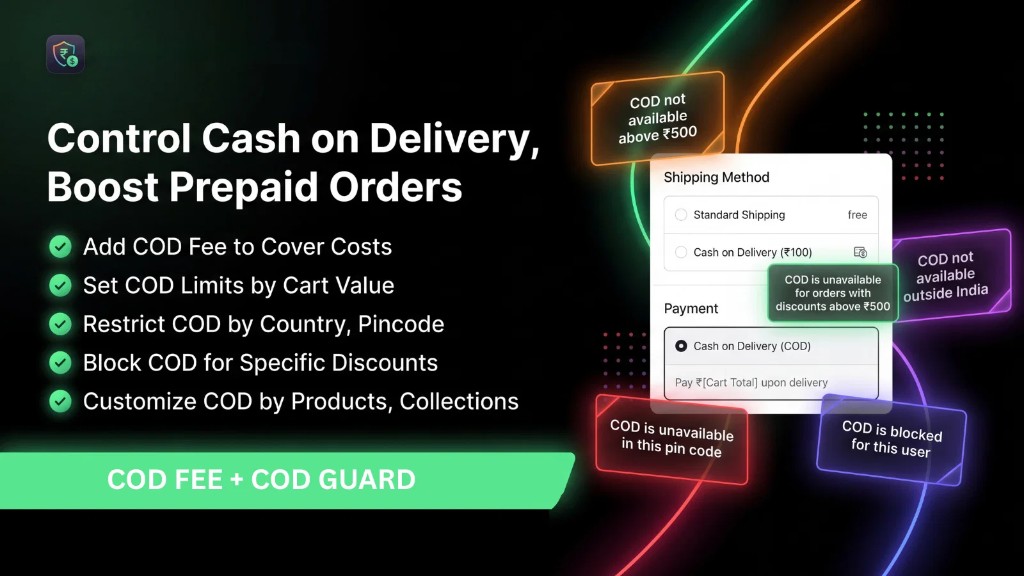
It is a free Shopify app by Web6 that helps you control Cash on Delivery using fees, pincode/location availability, cart-value limits, product and collection rules, discount blocks, and hide-COD logic via Shopify Functions payment and delivery customizations.
What is the Shopify App Store listing title?
+
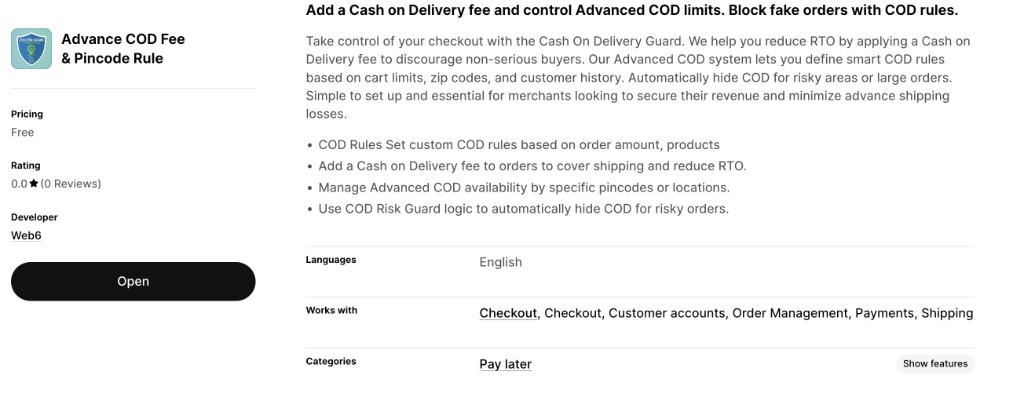
The App Store listing title is “Advance COD Fee & Pincode Rule.” Web6 markets the same product as COD Risk Guard – Pincode Rules. The install URL is COD Risk Guard on the Shopify App Store.
Is COD Risk Guard free?
+
Yes. The listing price is Free. Install, configure, and test on your store. For bespoke rules beyond the public feature set, Web6 can scope custom work separately.
Who is Web6?
+
Web6 (Web6) is a Surat Shopify studio that builds stores, apps, and custom Shopify Functions engagements. See Shopify development services and Shopify app development.
When did the app launch?
+
The listing indicates a launch date of May 7, 2026.
How many reviews does it have?
+
Check the live App Store page for the current review count and ratings as merchants start rating the app.
What languages does the app support?
+
English, per the App Store listing.
What does the app work with?
+
Checkout, Customer accounts, Order Management, Payments, and Shipping.
Which categories describe the app?
+
Pay later positioning with COD management features including custom fees, hide payment type, and fraud prevention framing on the listing.
Does it use Shopify Functions?
+
Yes — payment customizations and delivery customizations, with products and collections among the listed scopes/tech notes.
Is this a Theme App Extension?
+
No. Do not think of it as a storefront theme widget. Architecture is Shopify Functions payment/delivery customizations affecting checkout payment behavior.
Can I add a COD fee?
+
Yes. Adding a Cash on Delivery fee (custom fees) is a confirmed capability. Verify how the fee appears on your checkout and orders after install.
Can I restrict COD by pincode?
+
Yes. Manage advanced COD availability by specific pincodes or locations. Maintain lists in the app; confirm UI details after install.
Can I restrict COD by ZIP code?
+
Yes — ZIP/pincode style postal codes are the practical unit for availability rules. Format them to match how addresses appear at checkout in your market.
Can I control COD by city or state?
+
Marketing mentions locations/country alongside pincodes. Be precise: postal-code lists are the reliable granular lever. City/state control only works to the extent your configured location dimensions and address data support it — verify after install rather than assuming fuzzy city matching.
Can I set COD rules by order amount?
+
Yes. COD rules based on order amount and cart-value limits are confirmed. Test whether thresholds use pre- or post-discount totals on your shop.
Can I set product-based COD rules?
+
Yes. Products are a supported dimension for COD rules and customization.
Can I set collection-based COD rules?
+
Yes. Customize COD by collections so category-level policies stay aligned with merchandising.
Can I block COD for specific discounts?
+
Yes. Blocking COD for specific discounts is part of the confirmed marketing/feature set.
Can I hide COD for risky orders?
+
Yes. Hide COD / hide payment type is a listed capability so risky carts may not see Cash on Delivery at all.
Does the app include OTP verification?
+
OTP is not claimed as a built-in app feature. Use carrier tools, call/WhatsApp confirmation, or custom development if you need OTP flows.
Does it include a risk-scoring dashboard?
+
No dedicated risk-scoring dashboard is claimed. Rules are deterministic conditions you configure, not a probabilistic score UI.
Can it auto-hold or auto-cancel COD orders in admin?
+
Auto-hold/cancel in admin is not a claimed built-in feature. The app focuses on checkout-time availability, fees, and hide-COD behavior.
Does it provide RTO analytics reports?
+
RTO analytics reports are not claimed as a built-in feature. Use courier panels and your own BI. For custom admin reporting, contact Web6.
Can I bulk CSV import pincodes?
+
Confirm CSV import/export after install if you need bulk list management. You can manage pincode lists in the app; verify the exact UI on your store.
Are vendor COD rules supported as a first-class feature?
+
Vendor rules are not a listed first-class rule type in the current App Store feature set. Approximate with products/collections, or discuss custom Shopify Functions through contact or Shopify app development.
Are customer-tag COD rules supported as a first-class feature?
+
Customer-tag rules are not listed as first-class. Use pincode, cart, product, collection, discount, fee, and hide-COD levers — or scope custom Functions with Web6.
Are shipping-method COD rules supported as a first-class feature?
+
Shipping-method rules are not listed as a first-class merchant rule type. The app works with Shipping and uses delivery customizations technically, but binding COD to a named rate should be confirmed or built as custom work.
Will this reduce my RTO by a guaranteed percentage?
+
No guaranteed RTO percentage is promised here. Rules change which carts can choose COD; outcomes depend on your couriers, catalog, and confirmation process. See Reduce COD RTO on Shopify for ops context.
Do I need Shopify Plus?
+
COD needs exist on many plans, but Functions availability can differ by plan and Shopify’s current platform rules. Verify Functions requirements for your shop in Shopify’s documentation before committing to a rollout timeline.
How is this different from enabling native COD only?
+
Native COD turns the method on with instructions. COD Risk Guard adds structured fees, pincode/location availability, catalog rules, discount blocks, cart limits, and hide-COD behavior through Functions-based customization.
Can Web6 build custom COD logic beyond the app?
+
Yes. If you need capabilities outside the public feature set, use Shopify app development or contact Web6. Related reading: custom Shopify app case study and Shopify app development guide.
Where is the site page for this app?
+
Web6 path: COD Risk Guard. Apps index: explore all Web6 Shopify apps.
Does hide COD affect prepaid methods?
+
Hide payment type targets Cash on Delivery under your risk conditions. Prepaid methods should remain available subject to your other payment settings — always QA the full payment list on a test checkout.
What should I test after install?
+
Allowlisted vs blocked pincodes, below/above cart limits, restricted products/collections, blocked discounts, COD fee line items, mobile checkout, and customer-account checkout if you use accounts.
Can I use COD Risk Guard with customer accounts?
+
The listing notes it works with Customer accounts. Still test logged-in checkout paths because address defaults and markets can change which pincode is applied.
Is unlimited rules a promised feature?
+
“Unlimited rules” is not something this page claims. Configure the policies you need, QA them, and contact Web6 if you require a large custom rules engine.
How do I get support from Web6?
+
Use contact Web6 for studio help, or the App Store listing support channel for install issues. For broader store work, see Shopify development services and ecommerce website development.
Does the app replace my courier’s COD process?
+
No. It gates whether Shopify offers COD and can apply fees/rules. Couriers still collect cash, update RTO, and settle remittances under your logistics contracts.
What is the fastest sensible rollout?
+
Install free → enable native COD → add pincode allowlist for known coverage → add fee and minimum cart → add product/collection/discount exceptions → QA matrix → publish FAQ → iterate monthly from refusal data.