
ERP
Custom ERP Development Guide: Modules, Cost, Process & Integrations
Written by Web6 Editorial Team · Published 4 September 2026 · 20 min read
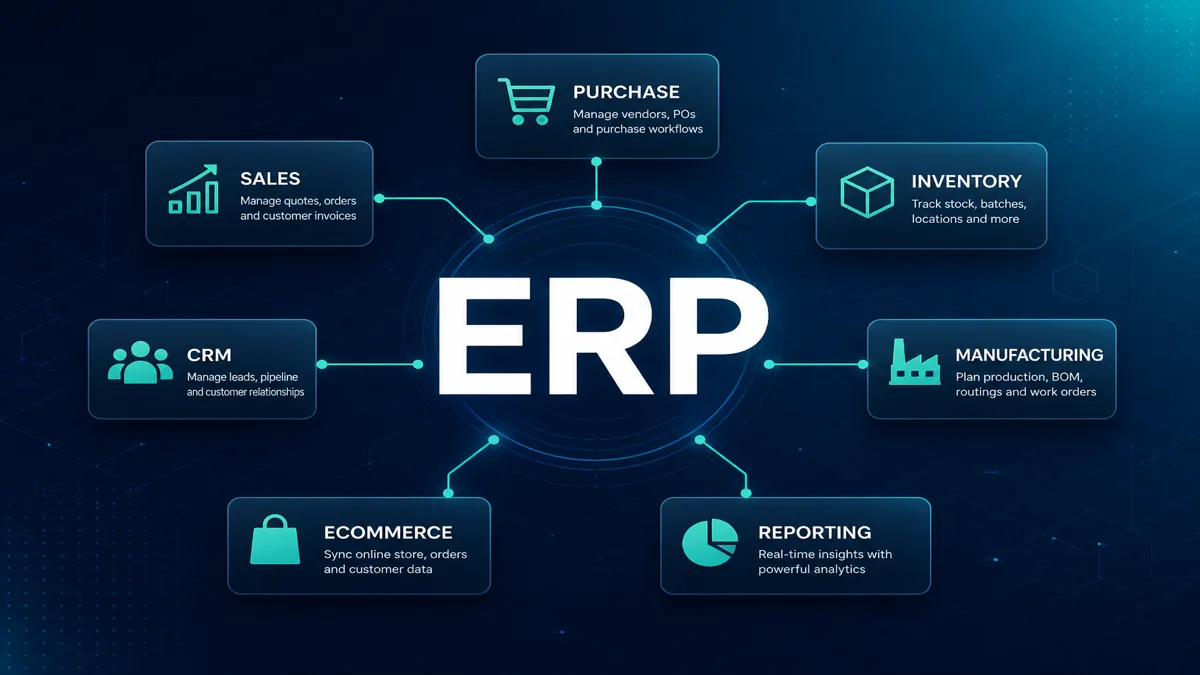
Enterprise resource planning fails most often at the definition stage. Teams ask for “an ERP” when they need inventory discipline, manufacturing visibility, purchase control, or finance-ready order data — then either buy a packaged suite that fights their process or build a mega-system that never launches.
This custom ERP development guide explains what an ERP actually is, when custom development makes sense, when it does not, which modules matter, how architecture and integrations should be decided, what a responsible delivery process looks like, and which cost and timeline drivers to expect — without fabricated price lists or guaranteed delivery dates.
For delivery of operational systems, see Web6’s ERP development services. Related decisions often involve custom CRM development, B2B ecommerce and Zoho CRM vs custom CRM.
What should you know before custom ERP development?
Start from business process and data ownership, not screens. Map how sales orders, purchases, inventory, production, quality and finance actually move today — including spreadsheets and WhatsApp workarounds. Decide which system is the source of truth for customers, stock, orders and money. Then plan modules, roles, workflows and integrations in phases. Custom ERP is justified when packaged software cannot model your operations without expensive, brittle workarounds. If a proven packaged ERP fits well, buying and configuring it is often the lower-risk path. Neither choice succeeds without discovery, UAT, training and change management.
What is an ERP — and what is not
An ERP (enterprise resource planning) system is software that coordinates core operational and resource processes across a business — typically around materials, orders, production, warehouses and the financial consequences of those movements. Scope varies by industry and company size. A manufacturer’s ERP is not the same as a distributor’s.
Typical ERP areas can include:
- Sales order management (not always full CRM)
- Purchase / procurement
- Inventory and stock valuation
- Warehouse and godown movement
- Manufacturing / production planning and job work
- Finance and accounting interfaces (often with a dedicated accounting package)
- HR / payroll where required
- Operations dashboards and reporting
Not every CRM, dashboard or order form is an ERP. A CRM manages relationships and pipeline. An ecommerce store captures orders. Accounting records financial transactions. ERP is where operational truth — especially inventory and fulfillment — usually lives. Confusing these systems produces duplicate masters and endless sync fights.
The ERP delivery principle
BUSINESS PROCESS
  → DATA MODEL
  → MODULES
  → ROLES
  → WORKFLOWS
  → INTEGRATIONS
  → REPORTING
  → TESTING
  → DEPLOYMENT
  → CONTINUOUS IMPROVEMENT
Skipping process mapping and jumping to “module screenshots” is the most expensive shortcut in ERP projects.
When custom ERP development makes sense
Evaluate custom ERP when packaged products force you into continuous exceptions:
- Unique workflows that define how you buy, make, quality-check or ship
- Legacy integrations with machines, old databases or industry systems that off-the-shelf connectors cannot cover cleanly
- Manufacturing logic — BOM variants, job-work, shade/lot tracking, batch yield, multi-stage routing
- Multi-company or multi-location processes with shared inventory and separate books
- Dealer / distributor operations with account pricing, credit, and portal ordering tied to warehouse truth
- Special pricing and allocation rules that accounting/ERP templates cannot express
- Inventory complexity — batches, serials, greige lots, jewellery tags, expiry, multi-godown transfers
- Approval structures spanning purchase, production and finance in non-standard sequences
Custom ERP is a product programme — not a theme install. It needs owners, phased scope and a maintenance plan.
Signals that packaged ERP is struggling
- Consultants spend more time on custom scripts than configuration
- Users keep parallel Excel for “real” stock or production
- Every new product line needs a new exception process
- Integration projects repeatedly fail on edge cases the package cannot model
- License + customization spend already exceeds a focused custom MVP budget — without solving the core pain
Those signals suggest reassessing architecture. They do not automatically mean “rewrite everything.” Sometimes a custom inventory/WMS beside packaged accounting is enough.
When you should not build custom ERP
This section exists for trust. Custom development can create unnecessary cost and risk when:
- A packaged ERP already fits your industry and process with configuration, not heroic customization
- Your real problem is process discipline, not software (ERP will encode chaos faster)
- You lack internal owners for master data, UAT and change requests
- You want “all modules for everyone” in phase one without phased value
- Accounting compliance is the only need — a proper accounting product may be enough
- You cannot fund hosting, security updates and ongoing engineering after launch
Buying and configuring a suitable packaged ERP, or extending it with targeted custom apps, is often smarter than greenfield ERP. The goal is operable process — not ownership for its own sake.
A practical decision question
Ask: “If we invest the next 12 months of budget and attention, what operational outcome must improve — stock accuracy, order cycle time, production visibility, purchase control, or financial close?” If the answer is vague (“we need digital transformation”), pause. ERP projects without a measurable outcome become endless customization programmes.
ERP modules — choose what you need
Do not imply every business needs every module. Phase by operational pain.
Sales
Sales orders, quotations, delivery schedules, customer credit checks against ERP limits. Deep CRM pipeline work often stays in CRM; ERP owns the committed order.
Purchase
Indent, RFQ to suppliers, purchase orders, goods receipt, three-way match concepts where finance requires them.
Inventory
SKU masters, units, batches/lots, valuations, reservations, min/max, stock adjustments with audit trails.
Warehouse
Godown/bin locations, putaway, picking, transfers, packing lists, barcode/scan flows where relevant.
Manufacturing
BOM, work orders, material issue, production entries, scrap/yield, subcontracting/job-work, QC holds.
CRM interaction
Not “CRM inside ERP” by default. Define handoffs: won deal → customer/order in ERP; ERP fulfillment status → CRM visibility.
Orders, customers, suppliers
Master data quality for parties, payment terms, shipping addresses, tax profiles — duplicated masters destroy trust.
Finance / accounting integration
Often better as integration to Tally, Zoho Books, QuickBooks, SAP FI or similar rather than rebuilding a full ledger unless that is the brief. ERP should emit clean posting events.
Reports, users, roles, approvals
Role-based access, maker workflows, exception queues and operational KPIs — after metrics are defined.
Module prioritization example
| Business situation | Likely MVP modules | Defer to later |
|---|---|---|
| Distributor with stock errors | Inventory, sales orders, purchase receipt | Manufacturing, advanced MRP |
| Manufacturer with WIP chaos | BOM, work orders, material issue, FG receipt | Dealer portal, multi-company |
| Exporter with packing list pain | Sales orders, inventory lots, packing/dispatch | Full HRMS |
| B2B with credit disputes | Customers, credit limits, orders, dispatch | Deep production planning |
System architecture and source of truth
CRM          → sales pipeline & relationship history
ECOMMERCE    → online cart / checkout orders
ERP          → inventory, operations, fulfillment truth
ACCOUNTING   → financial books & statutory records
Decide ownership explicitly:
- Customer master: CRM, ERP, or synced both-ways with a winner rule?
- Product / SKU master: Usually ERP (or PIM) — ecommerce and CRM consume it
- Stock quantity: ERP / warehouse — never “best effort” across three systems
- Price lists: ERP or pricing engine; ecommerce/B2B portal must not invent rates
- Invoices: Accounting system of record; ERP may generate commercial invoices that post to books
Architecture diagrams beat feature lists. If two systems both “own stock,” you do not have an ERP — you have a dispute.
ERP integrations
Common integration surfaces:
- Website / enquiry forms → leads or RFQs (often via CRM first)
- Ecommerce / Shopify → orders, payments, fulfillments, inventory sync
- CRM → accounts, opportunities-to-orders, activity context
- Accounting → journals, invoices, payments, GST/tax postings
- Shipping / courier APIs → labels, AWB, tracking
- Marketplaces → order ingest and stock push (rate limits and mapping matter)
- Barcode / warehouse devices → scan events into inventory movements
- Custom APIs / middleware — preferred when multiple systems need durable sync, retries and monitoring
Integration is a product: authentication, field maps, idempotency, error queues and ownership of failures. For Shopify-specific patterns, see Shopify ERP and CRM API integration and ecommerce website development.
Integration operating model
- Batch sync: Nightly/hourly product or stock updates — simple and robust when lag is acceptable
- Event-driven: Order created → push to ERP immediately with retry queues
- On-demand query: Portal asks ERP for live stock at checkout — only if API and load allow
- Human exception queue: Failed syncs visible to ops, not buried in logs
Document who is on-call when sync breaks on a festival sale weekend. Technology without ownership fails quietly.
Custom ERP development process
- Discovery — goals, pain, systems, constraints, success metrics
- Process mapping — as-is and to-be flows with real exceptions
- Requirements — must-have vs phase-two; non-functional needs
- Data architecture — entities, masters, statuses, audit fields
- Module planning — MVP slice that delivers operable value
- UX — roles, screens, mobile/warehouse needs
- Development — iterative builds with reviewable increments
- Integration — connectors with monitoring
- Migration — clean, map, test, cut over
- Testing / UAT — real scenarios with named business owners
- Training — role-based, with process owners present
- Launch — controlled cutover, hypercare window
- Optimization — backlog from production reality
Skipping UAT or training is how “the ERP failed” stories begin when the real failure was change management.
What good UAT looks like
- Named scenarios: “partial shipment,” “job-work return,” “negative stock attempt,” “credit block”
- Real roles executing scripts — not only the project manager clicking happy paths
- Sign-off on master data samples before full migration
- Performance checks on large SKU lists and concurrent warehouse users
- Rollback criteria agreed before cutover day
What drives custom ERP development cost
There is no honest single “ERP price.” Cost follows scope. Web6 does not publish fixed ERP package rates here. Budget conversations should separate these drivers:
- Number and depth of modules
- Users and concurrent usage patterns
- Roles and permission complexity
- Workflow / approval sophistication
- Integration count and reliability requirements
- Migration volume and data quality
- Reporting and analytics depth
- Mobile / warehouse device support
- Security, audit and compliance needs
- Infrastructure and environments (dev/stage/prod)
- Support and continuous improvement retainer
A focused inventory + sales-order MVP costs a different class of project than multi-plant manufacturing with barcode, dealer portal and accounting postings. Compare proposals on equal scope — not slogans. Phased commercial structures help: discovery as a fixed short engagement, MVP build against a written backlog, then a support retainer. Avoid open-ended ERP contracts without milestones and acceptance criteria. Ultra-cheap fixed bids that ignore migration and integrations almost always expand later — budget honesty beats optimistic anchors.
Timeline — scope-based, not universal
There is no universal ERP timeline. Duration depends on process clarity, module count, integration risk, migration cleanliness, decision speed and UAT participation. A narrow inventory system can move relatively quickly; a manufacturing + multi-godown + finance integration programme takes longer because exceptions and master data dominate.
Ask vendors for milestone plans tied to your documented scope — not a generic “ERP in X weeks” promise without discovery. Parallel workstreams can shorten calendar time only when process decisions are already locked — otherwise parallelization multiplies rework.
Custom ERP vs off-the-shelf ERP
| Factor | Off-the-shelf / packaged ERP | Custom ERP |
|---|---|---|
| Speed to first usable system | Often faster if fit is good | Slower initial build; can be faster for unique processes long-term |
| Process fit | Strong when industry template matches | Strong when designed to your process |
| Ownership / control | License + vendor roadmap constraints | Higher control of code and roadmap |
| Maintenance | Vendor updates + consultant change requests | Your engineering / partner capacity |
| Customization | Config + allowed extensions; deep change can be costly | Built for change — if architecture is sound |
| Integrations | Connectors available; odd systems harder | Designed around required systems |
| Initial effort | License + implementation project | Discovery + design + engineering |
| Future changes | Depends on vendor and customization debt | Depends on code quality and team |
Hybrid is common: packaged accounting + custom operations ERP, or packaged ERP core + custom portals. Build vs buy is not binary.
Manufacturing example flow (illustrative)
SALES ORDER
  → MATERIAL / BOM reservation
  → PRODUCTION / job-work
  → QC hold or pass
  → INVENTORY receipt of finished goods
  → DISPATCH / packing / invoice trigger
Real plants add scrap, rework, partial shipments and subcontracting. Map those exceptions before coding the happy path only.
Textile / discrete manufacturing nuance
Textile and process-adjacent manufacturers often need lot/shade/width attributes on inventory, while discrete engineering plants care about serials and routing steps. The ERP data model must reflect those attributes early — bolting them on after go-live is expensive. Gujarat manufacturers evaluating digital operations should also align website/B2B enquiry capture with ERP capacity; see the textile website guide for front-office patterns that eventually touch ERP.
B2B commerce and ERP
CUSTOMER / dealer
  → QUOTE (CRM or portal)
  → ORDER
  → ERP allocation & credit check
  → INVENTORY pick / pack
  → SHIPPING
  → Accounting posting
B2B portals should not invent stock or credit. They should consume ERP truth. See B2B ecommerce development and B2B website development for Gujarat manufacturers.
Security and operational controls
Treat ERP like a financial-adjacent system even when accounting lives elsewhere. Stock adjustments and price overrides have direct P&L impact. Segregation of duties — for example separating PO creation from goods receipt confirmation — reduces fraud and error risk without requiring a full banking-grade stack.
ERP systems hold sensitive operational and commercial data. Design for:
- Roles and permissions — least privilege by function
- Auditability — who changed stock, price, approval, or master data
- Backups — tested restore procedures, not only backup jobs
- Authentication — strong auth, SSO where appropriate, session controls
- Environment separation — development, staging, production
No ERP vendor or implementer can honestly guarantee zero security incidents. Controls reduce risk; governance and monitoring keep it manageable. Review access rights when people change roles, and revoke shared logins that bypass accountability. Document emergency break-glass access so operations are not blocked during incidents while still preserving a clear, complete, and fully reviewable audit trail.
Data migration approach
- Audit — what systems and spreadsheets hold truth today?
- Clean — duplicates, dead SKUs, inconsistent units
- Map — fields, statuses, opening balances, open documents
- Test — dry runs with volume samples
- Migrate — controlled cutover window
- Validate — stock totals, open orders, trial balances with owners signing off
Dirty masters migrate faster than they can be fixed later — and they poison every report.
Opening balances and cutover realities
Cutover usually needs locked stock counts, open PO/SO decisions (migrate vs close and recreate), and agreement on how in-transit goods are treated. Finance and warehouse must both sign the opening position. A technically perfect migration with wrong opening stock destroys trust on day one.
Common ERP mistakes
- Automating a broken process — software accelerates the mess
- Too many modules at once — no operable MVP
- Unclear ownership — no process owner for inventory or purchase
- Poor data quality — garbage in, executive dashboards out
- No UAT — go-live discovers basic path failures
- No change management — users keep parallel Excel
- No integration monitoring — silent sync failures for days
- Building reports before defining metrics — pretty charts, wrong decisions
- Over-customization — of packaged ERP or of custom code without governance
Governance habits that prevent failure
- A single process owner per master (SKU, customer, vendor)
- A change-request board for post-launch scope (not chat-driven micro-features)
- Monthly integration health review
- Quarterly process retrospective: what workarounds reappeared?
When SaaS / productized operations software is enough
Some businesses need a focused operations product — inventory + invoicing, or light manufacturing — not a full enterprise suite. Evaluate whether a commercial SaaS operations tool or a smaller custom module set meets the need. See SaaS development when the long-term plan is a productized multi-tenant system rather than a single-company ERP.
How to start an ERP project responsibly
- Write the top five operational pains in business language
- Map as-is flows for those pains only
- List systems of record candidates for stock, orders, customers, money
- Choose build, buy, or hybrid with reasons
- Define an MVP module set that removes one major pain
- Assign named owners for UAT and master data
- Budget for launch hypercare and ongoing improvement — not only build
Web6 scopes custom ERP development after discovery. Pair with custom website development when portals and public sites feed operational demand.
Infrastructure, environments and operability
Custom ERP is not only application code. Plan environments (development, staging, production), backup retention, monitoring, secret management and release discipline. Warehouse users hitting production with untested migrations is a process failure, not bad luck.
Operability checklist items include health checks for APIs, dead-letter queues for failed syncs, audit log retention policy, and a documented restore test at least periodically. If the business cannot staff this, factor managed operations into the partner contract — otherwise packaged SaaS ERP may be a better fit despite process compromises.
Mobile and barcode deployments add device fleet considerations: offline tolerance, printer/label formats and training for temporary warehouse staff during peak seasons.
Choosing an ERP development partner
Whether you buy, build or hybridize, implementation quality decides outcomes. Evaluate partners on process discovery skill, industry-relevant portfolio, integration experience, UAT discipline and post-launch support — not only technology logos.
- Can they restate your as-is process without buzzwords?
- Do they propose an MVP that removes a measurable pain?
- Is system-of-record ownership written into the proposal?
- Are migration and hypercare explicitly scoped?
- Who owns source code, hosting credentials and documentation?
For sales-side CRM choices that sit beside ERP, revisit Zoho CRM vs custom CRM. For website and portal demand that feeds ERP, see custom website development.
Related services and guides
Roles, training and change management
ERP adoption fails when software lands without role clarity. Define who creates SKUs, who approves purchase orders, who can adjust stock, and who closes the month. Training should be role-based: warehouse staff need scan flows; sales needs order status; finance needs posting exceptions.
Change management is not a kickoff speech. It is parallel-run rules, cutover checklists, floor champions, and a period where old Excel sheets are intentionally retired — with management backing when someone tries to reopen them.
Hypercare after launch
Plan two to four weeks of heightened support: daily standups with process owners, a visible issue log, and fast fixes for blockers. Hypercare is cheaper than a failed go-live narrative that permanently damages trust in the system.
Reporting — define metrics before dashboards
Dashboards without definitions create false confidence. Agree what “stock accuracy,” “OTIF,” “WIP days,” “purchase cycle time,” and “open SO aging” mean in your business before building charts. Report consumers (plant head, sales head, finance) should confirm the definitions.
- Operational reports: stock by godown, open work orders, delayed POs
- Commercial reports: order book, fill rate, credit exposure
- Exception reports: negative stock attempts, failed integrations, approval bottlenecks
Pretty BI on unclean masters is worse than a simple accurate table.
Frequently asked questions
What is custom ERP development?
Building operational software tailored to how a business manages inventory, orders, purchasing, manufacturing, warehouses and related reporting — instead of only configuring a packaged suite. Scope varies; not every dashboard is an ERP.
When should a company build a custom ERP?
When workflows, inventory logic, approvals or integrations are unique enough that packaged ERP creates excessive cost or fragility — and the business can fund ownership and maintenance. If a package fits well, prefer configure over custom build.
What modules are included in an ERP?
Common areas include sales orders, purchase, inventory, warehouse, manufacturing, finance interfaces, roles/approvals and reporting. Businesses should select modules by need — not install everything on day one.
How much does custom ERP development cost?
Cost follows modules, users, workflows, integrations, migration, reporting, mobile, security and support. There is no single honest price. Compare written scopes; Web6 quotes after discovery.
How long does custom ERP development take?
Timelines are scope-based. Process clarity, integrations, migration quality and UAT speed matter as much as coding. Ask for milestone plans tied to your requirements.
Custom ERP vs ready-made ERP — which is better?
Neither universally. Packaged ERP is often faster when fit is strong. Custom fits unique operations and ownership needs. Hybrid architectures are common.
Can ERP integrate with CRM?
Yes. Define system of record for customers and when opportunities become ERP orders. Avoid duplicating pipeline and inventory in both systems.
Can ERP integrate with Shopify?
Yes — orders, inventory and fulfillments can sync via APIs or middleware. ERP should usually own stock truth; Shopify owns the storefront checkout experience.
Can ERP integrate with a website?
Yes — catalogues, stock signals, dealer portals and RFQ-to-order flows can connect. Public websites rarely replace ERP; they feed or display operational data.
How is data migrated into a new ERP?
Audit sources, clean masters, map fields, dry-run, migrate in a controlled window, then validate stock, open documents and balances with business owners.
Does ERP need a mobile app?
Not always. Warehouse scanning, approvals and field updates often benefit from mobile. Start from role needs — not a blanket “app required” assumption.
How is custom ERP maintained after launch?
Through bug fixes, security updates, feature backlog, integration monitoring, backups and training refreshers. Budget continuous improvement — ERP is not a one-time install.