
Shopify
Shopify Store Launch Checklist for India
Written by Web6 Editorial Team · Published 4 November 2026 · 10 min read
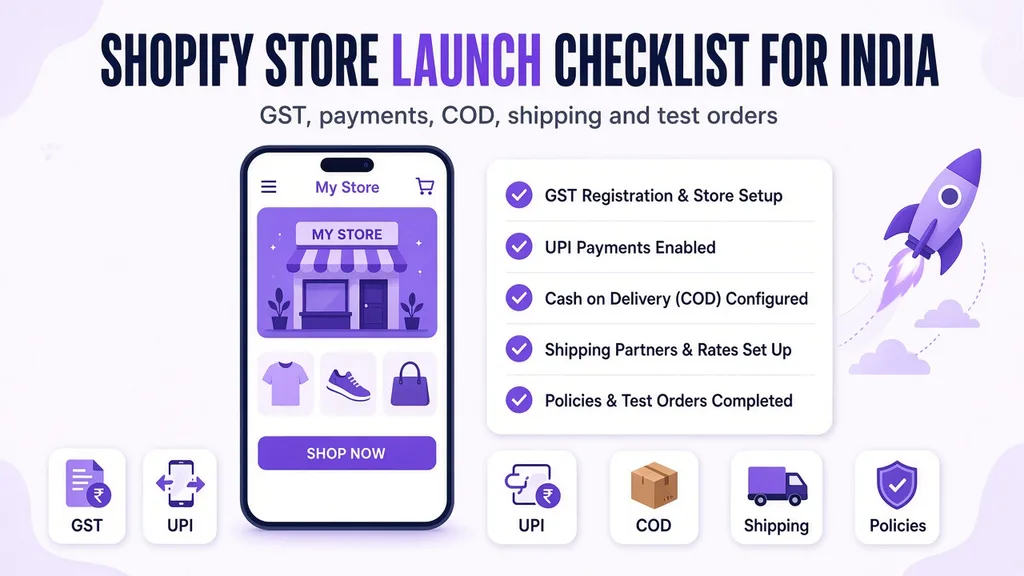
Shopify's own launch checklists are written for countries where Shopify Payments exists and tax is a single setting. Launching in India is different. You need a third-party gateway with KYC, COD rules that will not drown you in returns, GST rates and invoices set up correctly, a courier integration, and policy pages that gateways will actually approve.
This is the checklist we use at Web6 when we launch Shopify stores for Indian brands. Work through it in order. Tick every line before you remove the store password.
The short answer
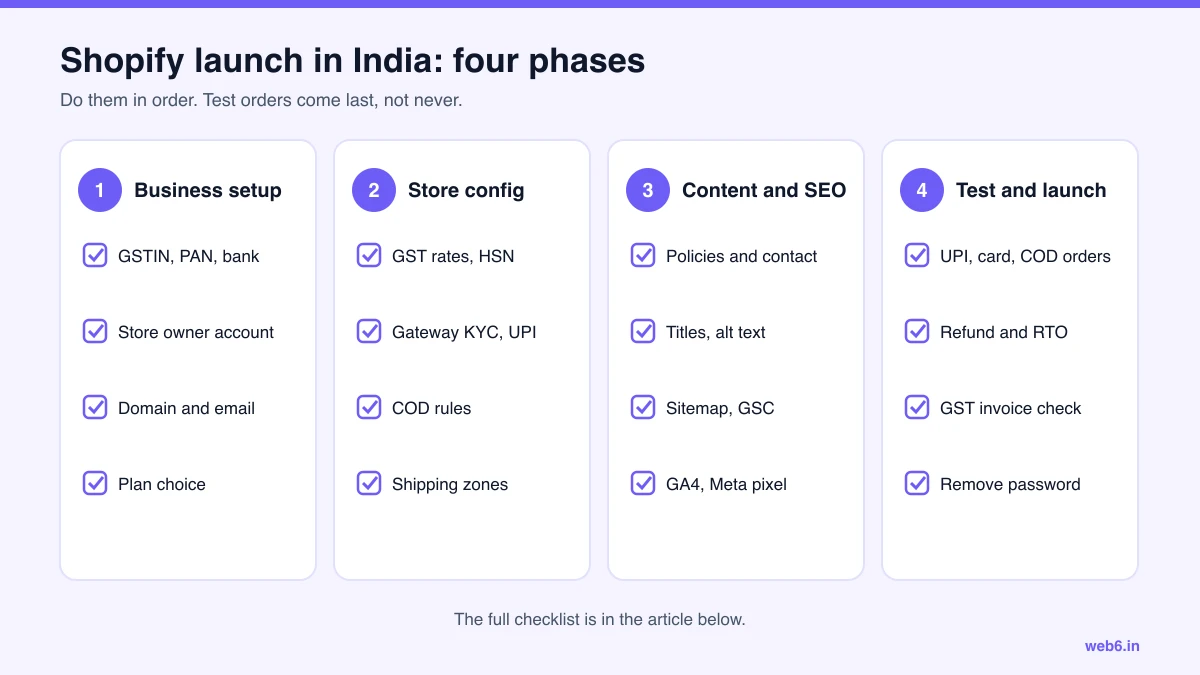
Before launching a Shopify store in India, complete four phases: business setup (GST, bank, store ownership, domain, plan), store configuration (GST rates and HSN codes, gateway KYC and UPI, COD rules, shipping), content and tracking (policies, contact and grievance details, SEO basics, analytics), and testing (real UPI, card and COD orders, a refund, a GST invoice and a shipping label). Only then remove the password.
The checklist
- 1. Business and legal setup
- 2. Shopify account, plan and domain
- 3. GST and tax settings
- 4. Payments: gateway and UPI
- 5. Cash on delivery and RTO controls
- 6. Shipping and delivery
- 7. Products and catalog
- 8. Policies and legal pages
- 9. SEO, speed and tracking
- 10. Test orders
- 11. Launch day
- 12. The first 30 days
- FAQs
1. Business and legal setup
- Business entity decided (proprietorship, LLP or private limited) and PAN in that name.
- Current account in the business name for gateway settlements.
- GST registration. Most online sellers need it, especially when selling across states. Confirm with your accountant.
- Trademark search for your brand name, at least, before you print packaging.
- Business email on your own domain, not a free webmail address.
- Address and phone number you are happy to show publicly on the site.
2. Shopify account, plan and domain
- Store owned by you. If an agency built it, ownership has been transferred to you. See how to choose a Shopify development company in India for why this matters.
- Agency and freelancers added as collaborators with limited permissions, not given your login.
- Two-step authentication on the owner account.
- Plan chosen. Basic for most new stores; Grow pays for itself at roughly ₹5.5 lakh a month in prepaid sales on monthly billing.
- Store currency set to INR, store address and legal business name filled in.
- Domain bought in your name and connected. Choose www or the bare domain as primary.
- Staff accounts created for your team, with only the permissions each person needs.
3. GST and tax settings
- India added under Settings, then Taxes and duties. If India is missing, add it to a shipping zone first.
- Default rates reviewed. Shopify's defaults are only a starting point and must be changed for your state and products.
- CGST and SGST set for your home state; IGST for all other states.
- Tax overrides set by collection for products at a different rate. Since 22 September 2025 the main slabs are 5% and 18%, plus 40% for a short list of goods; the 12% and 28% slabs no longer apply to most products.
- "All prices include tax" turned on, since Indian shoppers expect tax-inclusive prices.
- HSN codes added in each product's HS code field (six digits or more) or in a metafield.
- GST invoicing app or accounting connection installed. Shopify's order emails are not GST invoices.
- One test invoice checked: your GSTIN, HSN codes, the tax split and sequential numbering.
- Rates, HSN codes and any e-invoicing obligation confirmed by your accountant.
4. Payments: gateway and UPI
- Gateway chosen: Razorpay, PayU, Cashfree, PhonePe PG or another provider that supports Shopify.
- KYC submitted early. Gateways usually review your website, including policy pages, before enabling live payments.
- Gateway's Shopify app installed and connected, first in test mode.
- UPI, cards, net banking and wallets enabled. UPI shown prominently, since it is how most Indian shoppers pay online.
- Settlement bank account verified and settlement cycle noted.
- Fees understood: the gateway's fee (plus GST on that fee) and Shopify's third-party fee on prepaid orders: 2% on Basic, 1% on Grow, 0.6% on Advanced, 0.2% on Plus.
- International cards enabled only if you plan to sell abroad.
5. Cash on delivery and RTO controls
- Cash on Delivery added as a manual payment method, with clear wording.
- COD limits decided: maximum order value, blocked pincodes, products excluded from COD.
- COD rules enforced with an app or a checkout customisation. We built COD Risk Guard for pincode rules.
- WhatsApp or IVR confirmation set up for COD orders, with a rule to hold unconfirmed orders.
- Address quality checks: house number, landmark and a pincode that matches the city.
- Prepaid nudge ready to test: a small UPI discount, free shipping on prepaid, or partial COD.
- Any COD fee shown before checkout, not as a surprise.
For the full playbook, read how to reduce COD RTO on Shopify in India.
6. Shipping and delivery
- Shipping partner chosen: an aggregator such as Shiprocket, or direct contracts with couriers like Delhivery, Blue Dart or Xpressbees.
- Their Shopify app installed and pickup address verified.
- Shipping zones and rates set: flat, free above a threshold, or weight-based.
- Product weights filled in for every variant, including packaging.
- Serviceable pincodes checked, and a pincode checker on the product page if delivery times vary a lot.
- Branded tracking page and shipping notification emails set up.
- COD remittance cycle and RTO charges understood.
- One test label generated and one test pickup booked.
7. Products and catalog
- Product titles that say what the product is, not only a brand name.
- Descriptions that answer size, material, care, what is in the box and delivery time.
- MRP and selling price set correctly; compare-at price used only for genuine discounts.
- Variants with no more than three options per product.
- Size charts for apparel and footwear.
- For packaged goods, the declarations Indian rules expect on listings, such as manufacturer or importer, net quantity, MRP and country of origin. Confirm the list for your category.
- Images compressed, consistent in ratio, with descriptive alt text.
- Collections built for how shoppers browse, plus "All products".
- Stock levels and locations correct; "continue selling when out of stock" off unless intended.
8. Policies and legal pages
- Refund and return policy with timelines, conditions and who pays return shipping.
- Shipping policy with delivery times by region and COD terms.
- Privacy policy that reflects how you collect and use personal data. Ask your lawyer which obligations under the Digital Personal Data Protection Act apply to you now.
- Terms of service.
- Contact page with legal business name, address, email and phone.
- Grievance officer name and contact. The Consumer Protection (E-Commerce) Rules, 2020 expect online sellers to publish this, along with clear return and refund terms.
- Policy links in the footer and at checkout (Settings, then Policies).
9. SEO, speed and tracking
- Home page, collection and product titles and meta descriptions written.
- Clean URL handles; no "copy-of" handles left from duplication.
- Redirects in place if you are moving from another platform. See WooCommerce to Shopify migration in India.
- Google Search Console verified; sitemap ready to submit at launch.
- GA4 and Meta pixel connected through Shopify's customer events, with purchase events tested.
- Google and Meta sales channels connected if you plan to run Shopping or catalog ads.
- Unused apps removed; each remaining app has a reason to exist.
- Home, collection and product pages tested on a mid-range Android phone on mobile data, and in PageSpeed Insights.
- WhatsApp chat button or support channel visible on mobile.
10. Test orders
- A real UPI order, paid, then refunded. Check the refund reaches the UPI app.
- A real card order, paid, then refunded.
- A COD order. Confirm the WhatsApp or IVR confirmation fires.
- An order to a different state, to check IGST is charged instead of CGST and SGST.
- A discount code order, to check discounts and tax together.
- GST invoice downloaded for each test order and checked.
- Shipping label generated and tracking link working in the shipping email.
- Order confirmation, shipping and delivery emails reviewed on a phone.
- Checkout tested on Android Chrome and iPhone Safari.
- Test orders cancelled or archived so they do not affect reports.
11. Launch day
- Gateway switched from test mode to live mode.
- Store password removed (Online Store, then Preferences).
- Sitemap submitted in Google Search Console.
- One more live order placed and refunded.
- Someone watching orders, payments and support messages for the first few hours.
- Announcement ready: email list, WhatsApp broadcast, social posts.
12. The first 30 days
- Check COD confirmation rate, RTO rate and prepaid share every week.
- Watch Search Console for crawl errors and 404s.
- Read every customer question; turn repeated ones into product page copy or FAQs.
- Review app bills and remove anything you are not using.
- Start conversion improvements once you have a few hundred sessions a day. Our Shopify conversion rate optimization guide lists where to start.
- Re-check your plan choice once you know your prepaid volume.
If you would rather have a team handle the setup, Web6 builds and launches Shopify stores for brands across India. See Shopify development company in India, or check budgets in Shopify website development cost in India.
Frequently asked questions
What do I need to launch a Shopify store in India?
A business bank account, PAN, GST registration in most cases, a domain, a Shopify plan, a payment gateway such as Razorpay, PayU or Cashfree with KYC completed, COD rules, GST tax settings, shipping set up through a courier or aggregator, policy pages, and successful test orders for UPI, card and COD.
Is Shopify Payments available in India?
No. Indian stores connect a third-party gateway. Shopify then charges a third-party transaction fee on prepaid orders: 2% on Basic, 1% on Grow, 0.6% on Advanced and 0.2% on Plus, on top of the gateway fee. COD orders have no Shopify fee.
How do I set up GST on Shopify?
In Settings, then Taxes and duties, select India. Set CGST and SGST for your home state and IGST for other states, add tax overrides for products at a different rate, decide whether prices include tax, and store HSN codes in the HS code field or a metafield. Use an invoicing app for GST invoices, because Shopify order emails are not GST invoices.
How do I enable cash on delivery on Shopify in India?
Add Cash on Delivery as a manual payment method in Settings, then Payments. Some gateways also offer a COD app. Limit COD by pincode, order value or product with an app or a checkout customisation, and confirm COD orders on WhatsApp before you ship.
Which shipping partner should I use for Shopify in India?
Most new stores start with an aggregator such as Shiprocket, which compares couriers and handles labels, tracking and COD remittance. Larger stores often contract couriers such as Delhivery, Blue Dart or Xpressbees directly. Install the Shopify app and test a label before launch.
Which Shopify plan should a new Indian store choose?
Most start on Basic. Grow becomes cheaper overall at roughly ₹5.5 lakh a month in prepaid gateway sales on monthly billing, because its 1% fee saving covers the higher subscription. COD sales do not count toward this calculation.
How long does it take to launch a Shopify store in India?
With products and photos ready, a theme-led store can launch in two to four weeks. Gateway KYC and website review can take several days, so start it in the first week.