
SEO
SEO-Friendly Website Development: 20 Things Developers Should Get Right Before Launch
Written by Web6 Editorial Team · Published 3 September 2026 · 19 min read
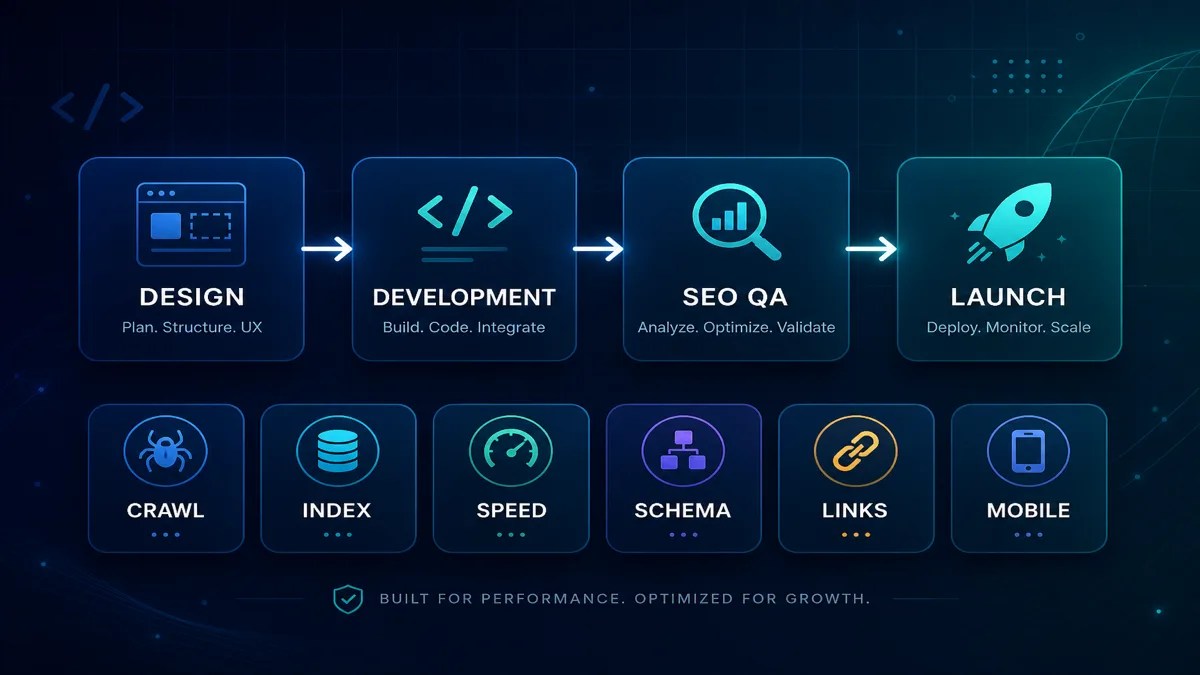
SEO is often treated as something you “add after launch” — a plugin, a meta tag pack, or a monthly retainer. That approach fails when the site ships with blocked crawls, duplicate URLs, JavaScript-only navigation, missing redirects, or no way to manage titles and canonicals. SEO-friendly website development means building discoverability, clarity and performance into the site before go-live.
This checklist is for developers, tech leads and founders shipping business websites, ecommerce stores and content platforms. It covers 20 things to get right before launch. It does not claim that technical implementation guarantees rankings — Google still evaluates relevance, competition and quality. A solid foundation removes self-inflicted problems and makes ongoing SEO services worthwhile.
For post-launch diagnosis, see the technical SEO audit checklist. If traffic exists but leads do not, read why your website is not generating leads. For delivery partners, see custom website development.
What is SEO-friendly website development?
SEO-friendly website development builds crawlable architecture, clean URLs, index controls, title and heading systems, internal linking, performance, structured data where appropriate, analytics, and pre-launch QA into the project — not as an afterthought. Developers implement the technical layer; content and SEO strategy fill titles, copy and link plans. Good implementation improves how search engines can discover and understand pages; it does not by itself guarantee rankings.
Pre-launch ownership: developer, SEO, content
Teams differ — use this as a coordination map, not rigid job titles.
| Check area | Developer | SEO | Content |
|---|---|---|---|
| URLs and routing | ✓ | ✓ | |
| Redirects and migrations | ✓ | ✓ | |
| Title and meta architecture | Support CMS/templates | ✓ | ✓ |
| Structured data | ✓ | ✓ | |
| Internal links | ✓ | ✓ | ✓ |
| Body content and headings | Template support | ✓ | ✓ |
| Core Web Vitals | ✓ | ✓ | |
| XML sitemap and robots | ✓ | ✓ | |
| Search Console and analytics | ✓ | ✓ | |
| Pre-launch crawl QA | ✓ | ✓ |
20 pre-launch SEO checks at a glance
| # | Check | Why it matters before launch |
|---|---|---|
| 1 | Crawlable navigation | Google must reach important URLs via links |
| 2 | Logical information architecture | Hierarchy signals topic relationships |
| 3 | Clean URLs | Stable, readable URLs aid users and systems |
| 4 | Correct status codes | 200/301/404/410 communicate intent to crawlers |
| 5 | Canonicals | Consolidate duplicate or parameterized URLs |
| 6 | robots.txt | Control crawl budget — not a reliable de-index tool |
| 7 | XML sitemap | Help discovery of important URLs |
| 8 | Unique title architecture | Every indexable page needs a distinct, editable title |
| 9 | Meta description support | CMS fields for snippets — optional but useful |
| 10 | Semantic headings | One clear H1; logical H2/H3 structure |
| 11 | Internal links | Connect money pages, blogs, categories |
| 12 | Image optimization | Format, size, lazy load, alt text support |
| 13 | Responsive design | Google uses mobile-first indexing |
| 14 | Core Web Vitals | LCP, INP, CLS — UX signals, not rank guarantees |
| 15 | JavaScript rendering | Critical content/links in crawlable HTML |
| 16 | Structured data | Valid schema matching visible content |
| 17 | Redirect strategy | Especially for redesigns and URL changes |
| 18 | Analytics | Events beyond pageviews before marketing spend |
| 19 | Search Console readiness | Verify property, sitemap, indexability |
| 20 | Pre-launch crawl/index QA | Crawl staging/production before announcing launch |
1. Crawlable navigation
Primary navigation should use crawlable HTML links (<a href="...">) to important sections — services, products, categories, blog, contact. Google discovers URLs by following links. If main menu items exist only as JavaScript click handlers with no href, crawlers may miss entire sections.
Before launch: View rendered HTML (or use URL Inspection) and confirm nav links resolve to 200 URLs. Footer and breadcrumb links count too.
2. Logical information architecture
Group pages in a hierarchy users and crawlers can predict: homepage → category → product/service → detail. Avoid dumping fifty services on one page when each has distinct search intent. Flat architecture can work for small sites; large catalogs need category hubs.
Before launch: Sketch the tree. Every indexable URL should have a parent category path within a few clicks from home.
3. Clean URLs
Prefer readable, stable paths: /services/custom-website-development/ over /page?id=847&ref=xx. Use lowercase, hyphens, consistent trailing-slash policy, and HTTPS everywhere. Avoid session IDs in indexable URLs.
Before launch: Document URL patterns for each template (blog, product, location). Changing URLs post-launch requires redirects.
4. Correct HTTP status codes
Google’s documentation describes how crawlers treat status codes: 200 for normal pages, 301/308 for permanent moves, 404/410 for genuinely removed pages, and persistent 5xx as server errors that can harm crawl and indexing over time. Do not return 200 with empty “not found” content (soft 404).
Before launch: Test homepage, templates, sitemap URLs, and a sample of dynamic routes. Fix server errors before go-live.
5. Canonical tags
Canonical links tell Google which URL is preferred when duplicates exist — www vs non-www, trailing slash variants, sort parameters, print views, or paginated series. Each indexable page should have one self-referencing or correct canonical unless intentionally consolidated elsewhere.
Before launch: Audit templates for default canonical output. Ecommerce faceted URLs often need a canonical strategy — see ecommerce section below.
6. robots.txt
robots.txt controls whether crawlers may fetch URLs — it does not reliably remove pages already indexed. Google may still list disallowed URLs without snippets if linked externally. Do not block CSS/JS required for rendering unless you understand the impact.
Before launch: Remove staging rules like Disallow: /. Allow paths you want indexed. Submit sitemap reference in robots if used. Validate with Google’s robots.txt tester in Search Console.
7. XML sitemap
Sitemaps help discovery; they do not guarantee indexing. Include indexable URLs with accurate lastmod where meaningful. Split large sites (products, images if relevant). Exclude noindex URLs and blocked paths.
Before launch: Generate sitemap automatically from CMS or build pipeline. Ping Search Console after launch. For Astro/SSG sites, ensure new pages enter the sitemap on build.
8. Unique title tag architecture
Every indexable page needs a unique, editable <title>. Templates should support variables (page title, brand suffix) without duplicating the same string site-wide. Titles influence snippets; they are not a direct “ranking lever” you can spam.
Before launch: CMS fields or frontmatter for titles. Fallback rules documented. No default “Home” on every page.
9. Meta description support
Meta descriptions do not directly determine rankings; Google may rewrite snippets. Still provide editable descriptions for key pages — they improve click-through when used. Developers implement the field; marketing writes copy.
Before launch: Optional per-page description in CMS. Avoid empty or identical descriptions on all templates if you control content entry.
10. Semantic heading structure
One primary H1 per page matching the main topic. Use H2/H3 for sections — not for styling alone. Headings help accessibility and clarify page structure; they are not a keyword-stuffing slot.
Before launch: Component templates enforce single H1. Audit blog and service templates for skipped levels (H1 → H4).
11. Internal linking
Link related services, categories, articles and proof pages in body content and modules — not only the main nav. Internal links distribute crawl and clarify relationships. Orphan pages with no inbound links struggle to rank.
Before launch: Related reading blocks, breadcrumb trails, category parent links. For launches with minimal content, plan which hubs will receive new links as the site grows.
12. Image optimization
Serve appropriately sized images (WebP/AVIF where supported), lazy-load below-fold media, and support alt text in CMS. Large unoptimized hero images hurt LCP. Decorative images can use empty alt.
Before launch: Responsive srcset, width/height attributes to reduce CLS, compression in build pipeline.
13. Responsive design and mobile-first indexing
Google primarily uses the mobile version of content for indexing and ranking. Layout, text size, tap targets and horizontal scroll matter. Separate mobile URLs (m. subdomains) are legacy — responsive or dynamic serving with consistent content is standard.
Before launch: Test key templates on real mobile devices. Confirm parity of critical content and links between mobile and desktop render.
14. Core Web Vitals
Google’s Core Web Vitals are user-centric metrics reported in tools such as Search Console and PageSpeed Insights. As documented by Google, the current set includes:
- LCP (Largest Contentful Paint): measures loading performance — when the largest content element becomes visible.
- INP (Interaction to Next Paint): measures responsiveness — latency across page interactions (replacing FID as a Core Web Vital).
- CLS (Cumulative Layout Shift): measures visual stability — unexpected layout movement during load.
These metrics relate to page experience. Google has stated page experience signals are used in ranking, but good CWV scores alone do not guarantee high rankings. Fix obvious LCP/INP/CLS issues before launch — especially on mobile templates.
15. JavaScript rendering considerations
Google can render JavaScript, but relying on client-only rendering for critical links, main content or metadata adds risk and delay. Prefer server-side rendering, static generation, or hybrid patterns (Astro, Next.js SSR/SSG) so important HTML exists in the initial response.
Before launch: View source — can you see main text and nav links without executing JS? Test with Search Console URL Inspection “View crawled page.” Avoid href="#" menus for primary IA.
16. Structured data (schema.org)
Add JSON-LD only where it matches visible on-page content and supported types — not for keyword manipulation. Common appropriate types:
- Organization — business identity on homepage/about
- BreadcrumbList — reflects visible breadcrumb trail
- Article — blog posts with author, date, headline
- Product — ecommerce product pages with offer data where accurate
- Service — when a page genuinely describes a service offering
- FAQPage — only when FAQs are visible on the page
Validate with Google’s Rich Results Test. Invalid or misleading schema can be ignored or trigger manual review. Use the schema generator for drafting, then verify against Google documentation.
17. Redirect strategy
Plan 301 (or 308) permanent redirects for renamed URLs, merged pages, HTTP→HTTPS, and www consolidation. Avoid chains and loops. Keep redirect maps in version control for redesigns.
Before launch: If replacing an old site, every old URL with traffic or backlinks needs a destination — relevant page, not always homepage.
18. Analytics implementation
Install analytics before marketing campaigns. Track form submits, calls, key CTAs, and ecommerce events — not only pageviews. Consent mode and privacy policies apply depending on jurisdiction and tools used.
Before launch: Verify events fire on staging. Document what is tracked so SEO and sales can interpret data post-launch.
19. Google Search Console readiness
Verify domain or URL-prefix property, submit sitemap, and run URL Inspection on homepage and key templates before announcing launch. Check indexability, canonical selected, and mobile usability reports after first crawl.
Before launch: Remove noindex from production templates. Confirm ownership verification file or DNS record is live.
20. Pre-launch crawl and index QA
Run a crawler (Screaming Frog, Sitebulb, or CI crawl script) against staging or password-protected production. Export: 4xx/5xx, redirect chains, duplicate titles, missing H1, noindex on commercial pages, orphan URLs, large images, canonical conflicts.
Before launch: Fix critical issues, document known low-priority debt, re-crawl after fixes. Launch day is too late to discover site-wide noindex.
Crawlability: HTML links vs JavaScript-only navigation
Crawlable HTML anchors remain the most reliable discovery path. Single-page apps and heavy client routers can work when prerendered or server-rendered, but SPAs that inject menus only after hydration often hide sections from the first crawl pass. Progressive enhancement — real URLs for real pages — reduces risk.
Faceted navigation and “load more” buttons need explicit decisions: which filter combinations get indexable URLs, which get noindex or canonical to parent, and whether load-more content exists in HTML or requires infinite-scroll JS that crawlers may not fully simulate.
robots.txt vs noindex vs canonical — do not confuse them
| Mechanism | Primary effect | Common mistake |
|---|---|---|
| robots.txt Disallow | Blocks crawling of URL path | Expecting it to remove indexed pages; blocking JS/CSS needed to render |
| noindex (meta or header) | Ask search engines not to show page in results | Leaving noindex on production after staging; blocking crawl so Google cannot see noindex |
| canonical link | Suggest preferred URL among duplicates | Pointing all pages to homepage; conflicting canonical vs sitemap vs redirects |
Google’s Search Central documentation treats these as distinct tools. Use noindex for pages that should not appear in search but can be crawled. Use canonical when duplicates exist but a version should consolidate signals. Use robots.txt to manage crawl of sections — not as your primary de-indexing method for sensitive pages already linked externally.
Canonical strategy for duplicates, parameters and ecommerce
Duplicate URLs arise from:
- Tracking parameters (
?utm_source=— often handled without separate indexable URLs) - Sort and filter query strings on category pages
- Print or share URLs
- www/http variants
- Pagination
Ecommerce sites should document: which facet combinations are indexable, which collapse to category canonical, and how product variants map (single product URL vs separate URLs). Wrong canonicals split signals or hide entire catalogs. For large store launches, involve SEO before URL patterns freeze — see ecommerce website development.
Launch and redesign migration checklist
Redesigns without redirect maps lose rankings and backlinks. Minimum migration process:
- Export all indexed URLs from Search Console and analytics landing pages.
- Map each old URL → new URL (relevant match, not blanket homepage redirect).
- Implement 301 redirects server-side or edge config; test sample set.
- Update internal links to new paths — do not rely on redirects alone.
- Update sitemap and submit in Search Console.
- Monitor Coverage/Pages and 404 reports for four to eight weeks.
Changing domains adds Search Console change-of-address steps and update Google Business Profile website URL where applicable.
SEO development red flags before launch
- noindex left in production — staging meta copied live
- Staging robots.txt carried live —
Disallow: / - All pages share one title — template default not parameterized
- JavaScript-only links — primary nav not in HTML
- Broken or missing canonicals — especially on paginated ecommerce
- Missing redirects — after URL restructure
- Huge unoptimized images — LCP failures on mobile
- Layout shifts — fonts, ads, embeds without reserved space (CLS)
- Duplicate H1 or missing H1 — template bugs
- Tracking missing — flying blind on launch campaigns
Local SEO foundations for Surat and Gujarat businesses
Local businesses need consistent NAP (name, address, phone) on site and Google Business Profile. Build location pages only for genuine service areas — not dozens of doorway pages with swapped city names. Link website and GBP correctly; embed map where helpful.
Developers implement: local business schema where accurate, consistent footer NAP, location page templates with unique content support. Content team writes unique copy per legitimate location. See local SEO checklist for Surat businesses.
Ecommerce pre-launch SEO considerations
- Categories and products — unique titles, descriptions, canonical per product URL
- Variants — decide single URL with selectors vs separate URLs
- Facets and filters — index policy for filter combinations; avoid infinite thin URLs
- Pagination vs load-more — ensure crawlers can reach products; rel="next"/"prev" is legacy — prefer clear paginated links or view-all policy documented with SEO
- Out-of-stock products — 404, noindex, or keep with availability schema — decide before launch
Shopify and custom stacks each have different levers; document decisions in the launch runbook.
AI search and answer engines — foundation still matters
AI Overviews and answer engines draw from content Google already crawls and trusts. There is no reliable “GEO guarantee” tactic. Foundations that remain important:
- Crawlable, indexable pages with clear structure
- Accurate, evidence-based content — not filler for machines
- Entity clarity (who you are, what you offer, where you operate)
- Structured data where it reflects visible facts
- Internal links and authoritative citations where appropriate
Read Google AI Overviews and SEO for context — treat AI visibility as an outcome of sound publishing, not a separate hack stack.
What developers implement vs what SEO strategy owns
Developers should ship: routing, redirects, robots, sitemap generation, canonical tags, title/meta templates, heading components, image pipeline, performance budget, schema hooks, analytics tags, and crawl-clean HTML.
SEO and content own: keyword/intent mapping, title and description copy, internal link plan, content quality, link building, ongoing Search Console monitoring, and prioritization of fixes.
Blurring roles causes either “SEO plugin installed, architecture still broken” or “perfect technical site, no content strategy.” Both fail.
Related guides
Frequently asked questions
What is an SEO-friendly website?
A site built so search engines can crawl, index and understand pages easily — clean URLs, sensible architecture, index controls, titles, headings, internal links, performance, and valid structured data where appropriate. It is a foundation, not a ranking guarantee.
Should SEO start before website development?
SEO thinking should inform architecture, URL patterns, templates and migrations from the start. Content and link strategy can ramp before or after launch, but technical debt from late SEO is expensive to fix.
What should web developers do for SEO?
Implement crawlable navigation, status codes, redirects, canonicals, robots.txt, sitemap, title/meta systems, semantic HTML, internal link support, image optimization, responsive layouts, CWV-aware performance, schema hooks, analytics, and pre-launch crawl QA.
Does page speed affect SEO?
Page speed and Core Web Vitals relate to user experience. Google uses page experience as a ranking factor among many others. Faster pages help users; speed alone does not guarantee rankings.
What is a canonical URL?
A canonical link element indicates the preferred URL when duplicate or similar pages exist. It helps consolidate signals to the version you want indexed — when implemented correctly.
Do all websites need structured data?
No. Add schema types that match visible content and supported use cases — Organization, BreadcrumbList, Article, Product, Service, FAQ where appropriate. Do not add schema purely for keywords.
Does JavaScript hurt SEO?
JavaScript-heavy sites can perform well when important content and links are available in the initial HTML or reliably rendered. Client-only critical navigation and content add crawl risk and delay.
What SEO checks should happen before website launch?
Crawl for noindex, robots blocks, status errors, redirect gaps, duplicate titles, canonical issues, mobile parity, CWV basics, sitemap accuracy, and Search Console indexability on key templates.
Should developers create the XML sitemap?
Usually yes — automated from CMS or build output is best. SEO reviews what is included/excluded; developers ensure generation, accuracy and submission path.
How should website redesign redirects work?
Map old URLs to the most relevant new URLs with 301 redirects, update internal links, submit new sitemap, and monitor Search Console for 404 spikes — avoid redirecting everything to the homepage.
Does an SEO-friendly website automatically rank on Google?
No. Technical SEO removes barriers to discovery and understanding. Rankings still depend on relevance, competition, content quality and many other factors.
Should developers add meta descriptions to every page?
Developers should support editable meta descriptions in templates. Marketing or SEO should write them for important pages. Google may rewrite snippets regardless.