
Web Development
Why Your Business Website Is Not Generating Leads: 15 Problems to Fix
Written by Web6 Editorial Team · Published 3 September 2026 · 17 min read
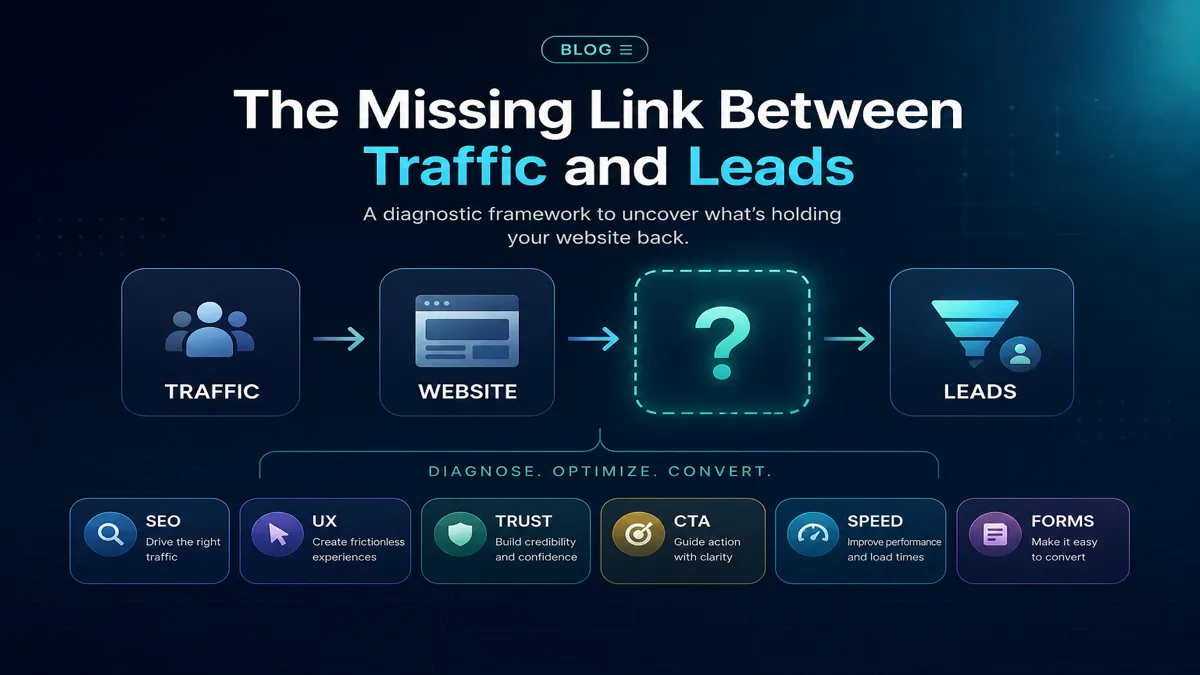
A business website can receive traffic and still fail to produce meaningful enquiries. The problem is rarely “not enough buttons.” More often, several layers fail together: the wrong visitors arrive, the page does not match what they need, the offer is unclear, trust is thin, mobile UX adds friction, or nobody is measuring the right events.
This guide diagnoses why a website is not generating leads — for Surat and Gujarat businesses and nationally — using a practical model:
Right traffic + right page + clear offer + trust + usability + low friction + measurement = better lead opportunity.
That formula improves your odds; it does not guarantee conversions. Markets, sales follow-up, pricing and competition all matter offline too.
For technical ranking issues, see why your website is not ranking on Google. For ongoing discovery work, explore SEO services. For structural fixes, see custom website development.
Why is my website getting traffic but no leads?
Traffic without leads usually means at least one gap in the chain: visitors are not the right audience, they land on the wrong page, the value proposition is vague, CTAs compete or hide, mobile or form friction blocks action, trust signals are weak, or analytics cannot show where drop-off happens. Start by checking Search Console queries against your service pages, then audit one high-traffic landing page on a phone for message clarity, CTA path, form completion and speed. Fix measurement before redesigning everything — you need to know whether the problem is traffic quality, page fit, or conversion UX.
The lead opportunity model
Think in layers rather than a single “conversion rate” number:
- Right traffic — people with a problem you actually solve.
- Right page — content that matches their intent (service, product, location, RFQ).
- Clear offer — what you provide, for whom, and what happens next.
- Trust — proof you can deliver (reviews, work, process, business details).
- Usability — readable, navigable, especially on mobile.
- Low friction — forms, calls, and checkout that are easy to complete.
- Measurement — events tracked so you can improve deliberately.
Weakness in any layer can zero out the others. More CTAs alone cannot fix wrong traffic or a vague offer.
Symptom → cause → what to check
| Symptom | Possible cause | What to check |
|---|---|---|
| Traffic, no enquiries | Intent mismatch or weak offer | Search Console queries vs landing pages; page message and CTA |
| Form starts, few submits | Friction or errors | Field count, validation, mobile keyboard, error messages |
| High mobile exits | UX or performance | Core Web Vitals, tap targets, sticky CTAs, layout shifts |
| Calls but poor lead quality | Message mismatch | Headline vs actual service; qualification on form or page |
| No organic visibility | SEO discovery gap | Indexing, technical SEO, content, local relevance |
| Many pageviews, flat pipeline | Measurement gap | Form, call, WhatsApp and qualified enquiry tracking |
15 problems that stop websites from generating leads
1. Wrong search intent or traffic
Ranking for queries that attract researchers, job seekers, students, or buyers you cannot serve creates traffic without leads. A B2B manufacturer page that ranks for retail “buy online” terms may get clicks from the wrong audience. Compare Search Console queries to your ideal customer and fix content, titles, or targeting where intent diverges.
2. Unclear value proposition
If a visitor cannot answer “what do you do?” and “is this for me?” within seconds, they leave. Generic lines like “leading provider of quality solutions” do not qualify buyers. State category, audience, geography or market, and primary outcome (enquiry, quote, appointment, purchase).
3. Weak above-the-fold message
The first screen on mobile must carry headline, supporting proof, and a primary action path. Hero sliders, autoplay video, and vague stock imagery often push the message below the fold. One clear headline beats three rotating banners.
4. Poor service-page architecture
One “Services” page listing twelve offerings helps neither SEO nor conversion. Dedicated pages for each major service (or product line) let you match search intent, internal link deeply, and tailor CTAs. A Surat CA firm and a textile wholesaler both benefit from specific pages — not one crowded list.
5. No clear call to action
Some sites read like brochures with contact details buried in the footer. Every important landing page needs an obvious next step: enquire, call, book, request quote, or buy — aligned with how you actually sell.
6. Too many competing CTAs
“Call now,” “WhatsApp,” “Download brochure,” “Subscribe,” “Book demo,” and “View catalog” on the same screen split attention. Pick a primary action per page; secondary links can sit lower. Competing CTAs are as harmful as missing ones.
7. Weak mobile experience
In many Indian markets, most sessions are mobile. Tiny buttons, horizontal scroll, hidden phone links, pop-ups covering the form, and unreadable text block enquiries. Test on a mid-range Android phone on a slow connection — not only on desktop.
8. Slow performance
Slow pages increase abandonment before someone reads your offer. Google’s Core Web Vitals focus on loading (LCP), interactivity (INP), and visual stability (CLS) as user-experience signals — useful for diagnosis, though good scores alone do not guarantee leads. Heavy images, unoptimized scripts, and third-party widgets are common culprits on business sites.
9. Poor forms
Long forms, unclear required fields, no mobile-friendly inputs, missing confirmation, and silent failures kill submissions. B2B RFQ forms need different fields than a local clinic booking form — but both need completion feedback and spam protection that does not block real users.
10. Lack of trust and proof
Anonymous websites convert poorly. Reviews, case studies, client logos (where permitted), team information, address, process explanation, and policies reduce perceived risk. Avoid fake urgency timers and unverifiable “award” badges.
11. Generic content
Template copy that could describe any company in any city fails to convince and often fails to rank. Specificity — industries served, problems solved, deliverables, geography — improves both SEO relevance and buyer confidence.
12. Weak local relevance
Local service businesses in Surat or Ahmedabad need genuine location signals: service area pages where justified, consistent NAP, Google Business Profile alignment, and local proof — not keyword-stuffed “Surat Surat” footers. Export or national B2B sites need different local strategy than a clinic in Vesu.
13. Poor internal linking and user journeys
Visitors arrive on a blog post or product page with no path to enquiry. Internal links should connect related services, proof, pricing context, and contact flows. Orphan pages with traffic but no navigation to convert are a common missed fix.
14. Tracking and analytics problems
If form submits, calls, WhatsApp clicks, and qualified enquiries are not tracked, you may think the site “does nothing” when leads arrive by untracked channels — or you optimize pageviews while pipeline stays flat. Define primary conversion events and verify they fire.
15. No testing or iteration
Websites are not “launch once” assets. Without reviewing Search Console, analytics, and sales feedback quarterly, problems persist. Small tests — clearer headline, shorter form, stronger proof block — beat periodic full redesigns driven by opinion alone.
Using Google Search Console to diagnose traffic quality
Search Console shows how your site appears in Google Search — not your whole traffic picture (direct, social, and paid need analytics), but invaluable for organic intent.
- Queries: What people searched before clicking. Do these match services you want to sell?
- Pages: Which URLs receive impressions and clicks. Are high-impression pages built to convert?
- Clicks: Actual visits from search. Compare to enquiry volume for those landing pages.
- Impressions: How often URLs appeared. High impressions with low clicks may indicate weak titles or meta descriptions — or irrelevant visibility.
- CTR (click-through rate): Clicks ÷ impressions. Useful for snippet improvement; low CTR on the right queries still beats high CTR on wrong queries.
- Position: Average ranking position for queries. A rough directional metric — not a simple “rank tracker.” Positions fluctuate; focus on whether the queries themselves are valuable.
Practical workflow: export top queries and landing pages, mark each as target, neutral, or off-target. Off-target traffic explains leads gap even when “SEO looks fine.” Compare month-over-month rather than chasing daily position swings — average position is aggregated and query mix changes. A page can rank well for low-value terms while missing commercial queries entirely. Pair with technical SEO audit checklist when discovery is broken.
Search Console signals that suggest a conversion problem (not a ranking problem)
- Healthy clicks on brand or informational queries, weak clicks on service or product terms.
- High impressions for irrelevant queries — content or titles attract the wrong audience.
- Strong performance on blog posts but service pages receive few impressions.
- CTR drops after a redesign without title changes — snippet may no longer match intent.
Analytics beyond pageviews
Pageviews and session counts do not equal pipeline. Track actions that map to business outcomes:
- Form submits — by form type (contact, quote, RFQ, sample request).
- Calls — click-to-call events on mobile; consider call tracking if phone is primary.
- WhatsApp clicks — legitimate in many Indian B2B and service workflows; track as an event, not as a vanity metric alone.
- Checkout completion — for ecommerce, funnel steps matter more than homepage views.
- Qualified enquiries — sales-tagged leads in CRM beat raw form count. Marketing and sales should agree what “qualified” means.
Build a simple weekly view: sessions → primary conversion events → CRM qualified leads. If the middle step is zero, fix UX and offer before buying more traffic.
Separating volume from quality
Marketing often celebrates form count; sales may report “bad leads.” Align definitions early: geography served, minimum order value, budget range, or service type. A textile manufacturer may want RFQs with quantity and end-use; a local clinic may want appointment requests within service area. Tag CRM outcomes (qualified, unqualified, spam) and feed that back to landing page and query review quarterly.
How lead paths differ by business type (Surat / Gujarat examples)
Same city, different successful paths:
- Textile catalog visit → wholesale enquiry: Buyer filters fabrics, reads specs and MOQ, submits bulk enquiry. Failure modes: no MOQ, no spec table, RFQ buried in footer. See textile website development in Surat.
- Manufacturer product page → RFQ: Technical buyer evaluates capability, downloads spec sheet, requests quote. Failure modes: PDF only on desktop, no product-specific RFQ context passed to sales.
- Local service page → call or form: Clinic, lawyer, or contractor in Surat — searcher wants trust, area served, hours, clear phone button. Failure modes: generic homepage landing, no local proof.
- Ecommerce product → purchase: D2C fashion — variant selection, shipping clarity, payment trust. Failure modes: slow mobile checkout, hidden delivery cost, weak returns policy.
Diagnose the path your model actually uses — not a B2C playbook on a B2B site.
SEO vs conversion UX — different jobs
SEO helps the right pages become discoverable in search and improves technical crawlability, content relevance, and authority over time. It does not automatically write your offer or fix a broken form.
Conversion UX (message, layout, CTA, trust, forms, speed) helps visitors who already arrived take action. It does not fix zero visibility for your money keywords.
Neither works well if the underlying offer is wrong — selling a service you cannot deliver, targeting retail traffic for wholesale-only, or pricing for a market you do not serve. Align offer, SEO, and UX together.
CTA and message audit checklist
On each key landing page, answer yes or no:
- Does the visitor know what you offer?
- Does the visitor know who it is for?
- Does the visitor know why choose you (proof, not adjectives)?
- Does the visitor know what happens next after enquiring?
- Does the visitor know how to contact you on mobile in one tap or scroll?
If any answer is no, fix copy and structure before adding more buttons.
Trust signals that support lead generation
Use evidence you can substantiate:
- Real reviews — Google, industry platforms, or verified testimonials with context.
- Case studies and portfolio — problem, approach, outcome; avoid vague “happy client” quotes.
- Business information — address, registration context where appropriate, team, contact channels.
- Process — what happens after enquiry (response time expectations, discovery call, quote timeline).
- Clear policies — privacy, refunds for ecommerce, terms for B2B where relevant.
Do not use fake countdown timers, stock “trusted by millions” badges, or fabricated statistics.
Form UX that protects submissions
- Field count: Ask only what sales needs to qualify; move nice-to-have fields post-submit or to CRM.
- Mobile usability: Appropriate input types, large tap targets, visible labels (not placeholder-only).
- Validation: Inline errors in plain language; do not wipe the form on failure.
- Confirmation: Thank-you message or redirect; set response expectation (“we reply within one business day”).
- Spam protection: CAPTCHA or honeypots balanced against friction — test that real users can submit.
- Context carryover: Product or service page should pre-fill enquiry subject or hidden fields for sales.
Technical issues that silently kill leads
- LCP (Largest Contentful Paint): Slow hero or main content load on mobile.
- INP (Interaction to Next Paint): Laggy buttons, menus, or form interactions after tap.
- CLS (Cumulative Layout Shift): Layout jumping while user tries to tap call or submit.
- Broken forms: JS errors, SMTP failures, wrong endpoint — test submissions monthly.
- Tracking broken: Tags not firing after CMS or theme changes.
- 404s on key paths: Old campaign URLs or removed service pages without redirects.
- Mobile layout bugs: Overlapping sticky bars, cookie banners blocking CTAs.
Use PageSpeed Insights or Search Console Core Web Vitals report for signals — then fix root causes (images, scripts, fonts, third parties). Good vitals support UX; they are not a substitute for offer clarity.
Quick technical checks any marketing lead can run
- Submit each primary form from mobile and desktop; confirm email/CRM receipt within minutes.
- Tap click-to-call and WhatsApp links on a real phone — correct number and pre-filled message?
- Open top three landing pages in Chrome DevTools device mode; look for console errors.
- Search site:yourdomain.com important-service in Google — does the intended page appear?
What to fix first
- Verify tracking on forms, calls, and primary CTAs.
- Review Search Console top queries vs landing pages for intent fit.
- Audit the highest-traffic page on mobile: message, trust, one primary CTA.
- Test form submit end-to-end; confirm CRM or inbox receipt.
- Address critical speed or mobile layout issues on that page.
- Split or improve service pages for top intent clusters.
- Iterate with sales feedback on lead quality — not only volume.
When to involve developers or SEO help
Hire or retain help when problems are structural: broken architecture, ERP or CRM integration, persistent CWV failures, large-scale migration, or technical SEO blocking indexing. Use how to choose a website development company in Surat for build partners and how to choose an SEO company in Surat for discovery programs. For budget context on rebuilds, see website development cost in Surat and custom website vs WordPress vs Shopify.
Frequently asked questions
Why is my website getting traffic but no leads?
Common causes include wrong search intent, unclear offer, weak trust, mobile or form friction, competing CTAs, and poor tracking — not necessarily low traffic. Diagnose traffic quality and landing page fit before blaming volume alone.
How many CTAs should a business page have?
One primary action per page (enquire, call, book, buy). Secondary options can appear lower on the page. Multiple equal CTAs often reduce completion more than they help.
Do slow websites reduce conversions?
Slow load and interaction often increase abandonment, especially on mobile. Core Web Vitals (LCP, INP, CLS) help diagnose UX issues. Speed supports conversion; it does not replace a clear offer.
Does SEO generate leads?
SEO helps relevant pages become discoverable. Leads require matching content, trust, and conversion paths on those pages. SEO without conversion UX often produces traffic without pipeline.
What makes a good landing page for leads?
Clear headline for a specific audience, proof, single primary CTA, mobile-friendly layout, fast load, and a form or contact path matched to how you sell. Intent alignment matters more than design trends.
How long should a contact form be?
Only as long as needed to qualify the lead. Short forms usually submit more often; complex B2B RFQs may need more fields — but every field should have a sales purpose.
Are reviews important for website lead generation?
Yes, when genuine. Reviews and case studies reduce perceived risk, especially for local services and high-consideration B2B purchases.
How do I track website enquiries properly?
Track form submits, click-to-call, WhatsApp clicks, and checkout as analytics events. Align with CRM so sales can mark qualified leads. Verify tags after site changes.
Should every service have its own page?
Major services with distinct search intent usually deserve dedicated pages — better for SEO and clearer CTAs than one overloaded services list.
Does mobile UX matter for B2B websites?
Yes. Many B2B researchers and local buyers browse on mobile first. Broken mobile layout, tiny tap targets, and hidden phone links cost enquiries.
Should I redesign my website if it is not generating leads?
Not always. Fix measurement, intent mismatch, and highest-traffic page UX first. Redesign when architecture, trust, or technical debt block fixes incrementally.
When should I hire a developer or SEO company?
When issues are structural — technical SEO, site architecture, integrations, performance at scale — or when internal iteration has stalled. Choose partners based on scope fit, not slogans.