Skip to content
Web6 home

Shopify App by Web6 · Surat · Free plan available

Recover Abandoned Carts Personally Through WhatsApp

EZ WhatsApp Abandoned Order helps Shopify merchants open a one-click WhatsApp conversation with pre-filled messages so you can recover abandoned carts, follow up on pending orders, and answer questions before the sale is lost — manually, not through automated broadcasts.

  • Manual WhatsApp recovery with pre-filled message templates
  • One-click WhatsApp conversation with the customer
  • Follow up abandoned carts, pending orders, and order updates
  • WhatsApp chat button for storefront support
  • Free plan with manual cart recovery messages
  • Pro adds unlimited manual recovery and order messages
Manual recovery workflow Message templates Free plan available Pro $2.99/mo 7-day free trial Built by Web6 Launched October 4, 2024

Manual WhatsApp conversations with pre-filled templates — not automated API campaigns.

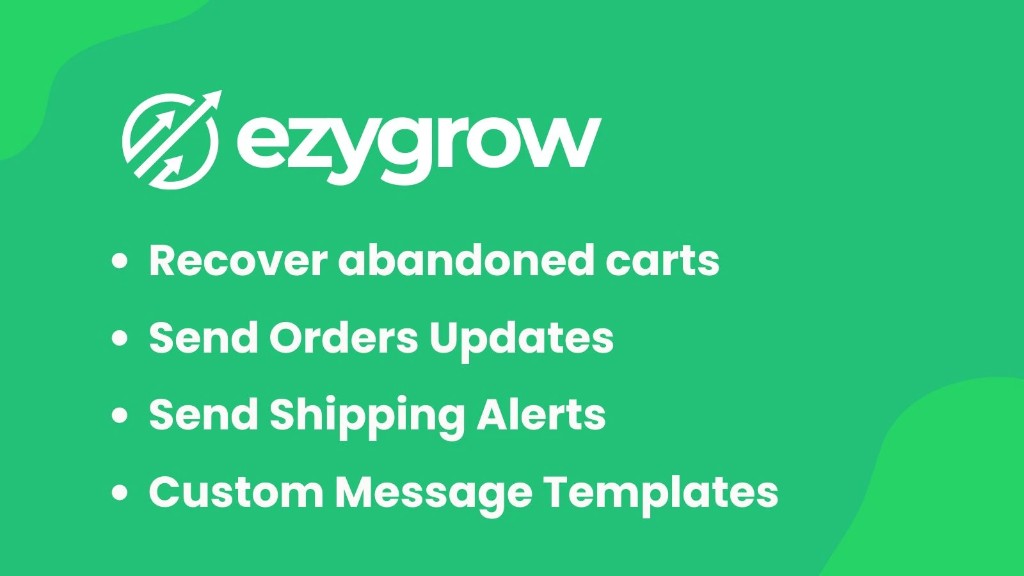
EZ WhatsApp Abandoned Order by ezygrow — recover abandoned carts, send order updates, shipping alerts, and custom message templates
EZ WhatsApp Abandoned Order (ezygrow): recover abandoned carts, send order updates and shipping alerts, and use custom message templates for manual WhatsApp follow-up.

Quick answers

Short definitions first — then the full manual WhatsApp recovery guide below.

What is EZ WhatsApp Abandoned Order?

It is a Shopify app by Web6 for manual WhatsApp order recovery. Merchants use message templates to open a pre-filled WhatsApp chat with a customer who abandoned checkout or needs an order update, then continue the conversation personally. On the App Store the listing title is “Ezy: Whatsapp Chat + Marketing.”

Is this app automatic?

No. Cart recovery and order follow-ups are manual actions you initiate. The app helps you start the WhatsApp conversation quickly with templates — it does not claim scheduled abandoned-cart broadcasts, WhatsApp Business API automation, or Meta Cloud API campaign sending.

Who should use it?

Shopify merchants who already talk to customers on WhatsApp and want a faster way to follow up abandoned carts and pending orders without building an API messaging stack. Ideal for D2C, fashion, beauty, electronics, jewelry, furniture, wholesale, and COD-heavy stores where a human reply closes the sale.

How much does it cost?

Free plan includes a WhatsApp chat button, 150 manual cart recovery messages, and unlimited message templates. Pro is $2.99 per month with a 7-day free trial and unlimited manual cart recovery and order messages, plus Google Analytics & Meta Pixel and a greeting chat widget. Confirm live pricing on the listing.

Do I need WhatsApp Business API?

Not for the manual recovery workflow described on this page. You open WhatsApp with a pre-filled message and chat as a person. If your operations later need API automation, that is a different product category — talk to Web6 about custom builds rather than assuming this app provides it.

How does it relate to Ezychat or ChatPop?

Ezychat is WhatsApp-first storefront chat. ChatPop is a multi-channel launcher. EZ WhatsApp Abandoned Order focuses on merchant-led recovery and order follow-up conversations after checkout hesitation.

Install EZ WhatsApp Abandoned Order

Official Shopify App Store listing · Free plan available

What is EZ WhatsApp Abandoned Order?

EZ WhatsApp Abandoned Order is a practical Shopify WhatsApp recovery tool for teams that prefer personal conversations over automated sequences. The purpose is simple: when a shopper leaves checkout incomplete or an order needs clarification, you can open WhatsApp quickly with a ready-made message and help them finish.

On the Shopify App Store, the product is listed as Ezy: Whatsapp Chat + Marketing under the ez-whatsapp-abandoned-order handle. Feature language on the listing emphasizes manual WhatsApp messages for abandoned carts, message templates, order confirmation and status updates, and a WhatsApp chat button.

Typical workflow: identify an abandoned checkout or pending order in Shopify, select a recovery or update template, open WhatsApp with the customer’s number and pre-filled text, then answer questions until the shopper completes payment or confirms details.

This is especially useful in markets where WhatsApp is the default inbox and email recovery underperforms. It is also useful when you need human judgment — COD confirmation, size advice, or wholesale quotes — that rigid automated copy cannot handle well.

Who should use it

  • D2C brands that already close sales on WhatsApp
  • Stores with COD or high-consideration products needing personal reassurance
  • Ops teams that can staff follow-ups during business hours
  • Merchants who want templates without adopting WhatsApp API infrastructure

Why recover orders using WhatsApp?

WhatsApp recovery works when the channel already matches buyer behavior. In many regions, shoppers ignore email but reply to a polite WhatsApp message from a store they were already buying from.

High attention compared with email alone

WhatsApp messages are noticed quickly because they arrive in an app people check throughout the day. That does not guarantee conversion — but it improves the chance your follow-up is seen.

Direct, two-way communication

Abandoned carts often hide unanswered questions: size, shipping time, COD comfort, payment failure. A live WhatsApp thread lets you resolve blockers in minutes instead of waiting for form replies.

Customer trust through personal assistance

A named human reply feels different from a faceless drip campaign. For jewelry, furniture, and fashion, trust often decides whether the cart becomes an order.

Quick responses that protect intent

Purchase intent decays. Manual WhatsApp follow-up is most effective when your team acts while the shopper still remembers the product.

Manual recovery workflow

The power of manual recovery is control. You choose which abandoned checkouts deserve outreach, what to say, and when to stop. Here is the practical loop merchants use with EZ WhatsApp Abandoned Order.

  1. 1. Customer abandons checkout

    A shopper adds products, starts checkout, then leaves. Shopify still holds checkout or customer contact details depending on how far they progressed.

  2. 2. Merchant reviews the opportunity

    Your team identifies high-intent abandoned carts or pending orders worth a personal nudge — not every incomplete session needs a message.

  3. 3. Open WhatsApp with a pre-filled message

    Use a saved template for cart recovery, payment reminder, COD confirmation, or order update. The app helps you start the WhatsApp conversation quickly instead of typing from scratch every time.

  4. 4. Customer replies

    The shopper answers in WhatsApp with questions, objections, or a request for help completing payment.

  5. 5. Merchant answers and assists

    Clarify shipping, sizing, payment options, or stock. Share the checkout link again when appropriate.

  6. 6. Customer completes the purchase

    When blockers are cleared, many shoppers finish the order. Track outcomes operationally so your team learns which templates and timing work.

Key features for manual WhatsApp recovery

Features below map to what the App Store listing emphasizes: manual cart recovery messaging, templates, order updates, and a WhatsApp chat button. Confirm exact admin controls after install.

Pre-filled WhatsApp messages

Create message templates for customized communication so your team starts from a consistent, friendly script — then personalizes mid-conversation.

One-click WhatsApp conversation

Reduce friction between “this cart needs a follow-up” and “I am chatting with the customer.” Speed matters more than clever automation when intent is still warm.

Recover abandoned carts

Use manual WhatsApp messages specifically for abandoned cart recovery. Free plan includes a limited number of manual cart recovery messages; Pro unlocks unlimited manual cart recovery.

Recover pending orders and incomplete checkouts

Pending payments, failed attempts, and half-finished checkouts often need a human prompt. Manual outreach lets you decide tone and urgency per case.

Order follow-up and notifications

Send manual order confirmation and status update messages when customers prefer WhatsApp over email. Useful for shipping questions and COD confirmation before dispatch.

Customer support via WhatsApp chat button

The listing also includes a WhatsApp chat button for storefront conversations. Use it for live questions; use recovery templates for post-abandonment follow-up so jobs stay clear.

Mobile and desktop friendly

Ops teams work from phones and desktops. A recovery workflow that opens WhatsApp cleanly on either device keeps follow-ups practical during peak hours.

Easy setup without coding

Standard install is App Store based. Theme code is not required for the usual WhatsApp button and recovery workflow. Deeper theme work can still use [Shopify development services](/services/shopify-development/) if needed.

Use cases by store type

Manual WhatsApp recovery shines when a short human conversation removes doubt. Match templates to category language and never message customers who asked not to be contacted.

Fashion stores

Size and fabric questions kill checkouts. A WhatsApp follow-up with fit guidance and a checkout link often recovers the sale faster than another email.

Electronics

Compatibility questions benefit from screenshots and quick replies. Manual chat is better than automated urgency copy when the blocker is technical.

Beauty

Shade matching and routine advice convert in conversation. Keep messages helpful, not pushy.

Furniture

High AOV purchases need reassurance on dimensions and delivery. Phone-plus-WhatsApp follow-up is common; templates keep first messages consistent.

Jewelry

Trust and customization dominate. Personal WhatsApp assistance protects margin better than discount-only automation.

Wholesale and B2B

Pending quotes and MOQ questions belong in human threads. Use templates as openers, then negotiate details live.

Benefits of manual WhatsApp order recovery

Benefits depend on staffing quality. The app speeds conversation start; your team earns the recovery.

Recover more sales from warm intent

Shoppers who almost bought are easier to help than cold traffic. Personal WhatsApp follow-up targets that window.

Improve customer support quality

The same thread can answer objections and complete the order — support and sales stay connected.

Increase trust

Human replies show accountability. That matters for first-time buyers and COD shoppers.

Reduce avoidable abandoned carts

Not every abandonment is price. Many are unanswered questions. Manual outreach attacks that cause directly.

Build relationships beyond one order

A good WhatsApp experience creates a reusable support channel for repeats and referrals.

Manual WhatsApp recovery vs automated WhatsApp API vs Shopify email

Manual is not always better. Choose based on volume, compliance needs, and whether your team can reply in time.

Recovery approach comparison

Approach How it works Strengths Watchouts Best fit
Manual WhatsApp (EZ WhatsApp Abandoned Order) Merchant opens pre-filled WhatsApp chat and continues personally Human judgment, flexible answers, strong for COD/high AOV Does not scale infinitely; requires staff time Stores that already sell on WhatsApp and want faster follow-up
Automated WhatsApp API solutions Approved templates sent via WhatsApp Business API / Cloud API stacks Scale, scheduling, event-driven sends Setup complexity, template approval, compliance overhead High-volume brands ready for API operations
Native Shopify abandoned checkout emails Email recovery flows inside Shopify Built-in, low setup, measurable Lower engagement in WhatsApp-first markets Email-responsive audiences and baseline coverage

Many merchants run Shopify email as a baseline and use manual WhatsApp for high-intent carts. If you later need true API automation, that is a separate architecture — Web6 can advise via Shopify app development services, but EZ WhatsApp Abandoned Order itself should be evaluated as a manual recovery tool.

Order notifications and follow-ups on WhatsApp

Beyond abandoned carts, merchants use manual WhatsApp messages for operational clarity. Keep notifications factual and consent-aware.

Order confirmation

A short confirmation message reassures buyers that the order was received, especially after COD or UPI confusion.

Payment reminders

Pending payment orders can be nudged politely with a checkout or payment link and an offer to help.

Shipping updates

When customers ask for tracking on WhatsApp, templates help your team respond consistently while still allowing personal notes.

Customer queries

Post-purchase questions about size exchange, delivery windows, or product care belong in human threads.

COD confirmation

Confirming address and willingness to receive COD parcels before dispatch is a proven ops practice in India. Manual WhatsApp confirmation supports that workflow without pretending to be an automated compliance system.

Best practices for manual WhatsApp recovery

WhatsApp trust is easy to lose. Treat every recovery message like a conversation with a real person — because it is.

Keep messages personal

Use the customer’s name and product context when available. Templates are starting points, not scripts to paste unchanged forever.

Respond quickly during business hours

Manual recovery works when replies are fast. If you cannot staff evenings, say so in your opener.

Avoid spammy urgency

Do not flood the same customer with repeated pushes. One thoughtful follow-up beats three aggressive ones.

Use friendly, clear language

Ask how you can help complete the order. Offer answers before discounts by default.

Respect privacy and consent

Only contact customers who provided a reachable number through checkout or prior consent. Honor opt-out requests immediately.

Prioritize high-intent carts

Combine recovery with live cart visibility tools like CartPulse so your team spends time on carts that still matter.

Operations playbook: run manual WhatsApp recovery without chaos

Manual recovery fails when everyone messages randomly. A light operating system keeps conversations helpful, measurable, and respectful of customer time.

Assign ownership first. One person or a small rota should own abandoned-checkout follow-ups during published business hours. Without ownership, templates sit unused while warm carts go cold.

Define a prioritization rule. For example: carts above a value threshold, COD checkouts awaiting confirmation, or checkouts with product questions visible in notes. Not every incomplete session deserves outreach.

Standardize openers, not entire conversations. Templates should greet, reference the product or cart when possible, and invite a question. After the customer replies, switch to human judgment.

Close the loop in Shopify. When a conversation recovers an order, note it. When it fails, capture the reason: price, shipping, sizing, trust, or no reply. Those reasons improve your storefront and COD policy more than another discount code.

Separate storefront chat from recovery follow-up. The WhatsApp chat button helps shoppers who are still browsing. Recovery templates help after abandonment. Mixing both jobs into one chaotic inbox without tags creates missed replies.

  • Published response hours and backup owner
  • Template library for cart, payment, COD, and shipping
  • Priority rules for which carts get contacted
  • Opt-out / do-not-contact handling
  • Weekly review of recovered vs unrecovered reasons

Example message starters merchants can adapt

These are illustrative openers for training — not automatic campaigns. Always adapt to your brand voice, product, and local language. Never paste urgency spam.

Abandoned cart — helpful check-in

Hi {{name}}, I saw you were looking at {{product}} on our store. Happy to help with size, shipping, or payment questions if you want to finish your order — just reply here.

Pending payment reminder

Hi {{name}}, your order is still awaiting payment. If something blocked checkout, tell me what you see and I will help you complete it.

COD confirmation before dispatch

Hi {{name}}, confirming your COD order for {{product}} to {{address}}. Reply YES to confirm delivery details, or tell us if anything should change before we ship.

Shipping update reply

Hi {{name}}, sharing your shipment update for order {{order}}. If you need the tracking steps explained, reply and I will walk you through it.

Replace placeholders carefully. If your app templates use different variables, follow the admin field names after install. The goal is clarity and permission — not pressure.

Common mistakes in WhatsApp cart recovery

Most WhatsApp recovery problems are process problems. Fix these before blaming the channel.

Messaging every abandoned session

Low-intent browse-and-bounce traffic wastes staff time and annoys people. Prioritize.

Assuming automation exists

Buying a manual tool and expecting API-style drip sequences creates disappointment. Match expectations to the product.

Discount-first openers

Leading with coupons trains customers to abandon on purpose. Start with help; discount only when commercially justified.

No coverage for replies

Opening chats you cannot answer is worse than silence. Staff the inbox before scaling outreach volume.

Ignoring COD confirmation discipline

Recovering a COD order without confirming receipt intent can increase RTO. Combine recovery with confirmation habits and, where needed, checkout risk controls.

Duplicate WhatsApp entry points

Running overlapping chat buttons and recovery flows without a clear owner creates missed messages. Keep storefront chat and recovery roles explicit.

When manual WhatsApp recovery is the right choice

Choose EZ WhatsApp Abandoned Order when personal conversation is the bottleneck — not when you need lights-out API broadcasting at massive scale.

Choose this app when

  • Your buyers already reply on WhatsApp more than email
  • Average order value is high enough to justify human follow-up time
  • COD confirmation or product advice regularly decides the sale
  • Your team can answer during defined hours
  • You want templates without adopting WhatsApp Business API infrastructure yet

Consider another approach when

  • You need fully automated event-driven WhatsApp campaigns at high volume
  • You require approved Business API template broadcasting and provider orchestration
  • Nobody on the team can staff replies — automation theater will not fix that alone
  • Your audience is email-first and already converts well from Shopify’s native abandoned checkout emails

A useful decision test: if a thoughtful human reply would change the outcome, manual WhatsApp recovery belongs in your stack. If the only missing piece is sending thousands of identical reminders overnight, you need a different class of WhatsApp API tooling.

Many growing Shopify brands start manual, learn which objections actually kill carts, improve the storefront, then decide later whether API automation is worth the operational cost. That sequence protects budget and customer trust.

Web6 can help at either stage — configure a practical manual process now, or scope custom Shopify app development later if your workflow becomes uniquely complex. Start from the real job to be done, not from the most impressive-sounding messaging architecture.

Finally, measure what matters: recovered revenue, reply latency, and the top reasons customers still say no. Those insights improve product pages, shipping policy, and COD rules far more than adding another unread automated ping. Manual recovery, done well, becomes a learning system for the whole store — not only a last-ditch discount channel.

How to set up EZ WhatsApp Abandoned Order

Setup is intentionally lightweight. Focus on templates and team process more than technical complexity.

  1. 1. Install from the Shopify App Store

    Open the official listing, install the app, and review permissions so the WhatsApp chat and recovery tools can run on your store.

  2. 2. Configure your WhatsApp business number

    Add the number your team uses for customer conversations, including country code. Align this with your storefront WhatsApp chat button settings.

  3. 3. Create message templates

    Write templates for abandoned cart recovery, payment reminders, COD confirmation, and shipping updates. Keep each short and helpful.

  4. 4. Train your team on the manual workflow

    Decide who owns follow-ups, what response SLA you promise, and when to stop outreach. Manual recovery fails without ownership.

  5. 5. QA on mobile and desktop

    Test opening WhatsApp with a pre-filled message from both devices. Confirm links and phone formatting before using the workflow with real customers.

Pricing plans

Pricing below reflects the public Shopify App Store listing at the time of writing. Always confirm live plan details before purchase.

Free

Free to install

Best for testing the manual workflow

  • WhatsApp Chat Button
  • 150 Manual Cart Recovery Messages
  • Unlimited Message Templates

Pro

$2.99 / month

7-day free trial

  • WhatsApp Chat Button Pro
  • Google Analytics & Meta Pixel
  • Greeting message with chat widget
  • Unlimited Manual Cart Recovery
  • Unlimited Manual Order Messages

Why choose a manual WhatsApp recovery app from Web6

Web6 publishes Shopify apps from Surat with merchant operations in mind. For abandoned-order work, honesty about manual vs automated scope protects trust more than exaggerated automation claims.

Clear product job

Help your team start WhatsApp conversations faster for carts and orders — without implying API broadcasting that the product does not provide.

Fits WhatsApp-first markets

When customers already expect chat, a manual recovery loop is often the shortest path to a completed order.

Related Shopify apps and services

Manual WhatsApp recovery is one layer. Use complementary tools when your bottleneck is storefront chat, analytics, COD risk, or custom automation.

Helpful Shopify references

Resources

Explore complementary services, apps, and guides for WhatsApp commerce and conversion.

Recover more orders with personal WhatsApp conversations

Abandoned carts are often unanswered questions, not lost demand. EZ WhatsApp Abandoned Order gives Shopify merchants a manual way to open WhatsApp quickly with pre-filled recovery and order-update messages, then finish the conversation as humans.

It is not an automated WhatsApp API campaign tool — and that clarity is the point. If your team can reply, personal follow-up remains one of the highest-trust recovery methods in WhatsApp-first markets.

Install from the App Store to try the Free plan, or talk to Web6 about recovery process design, COD confirmation workflows, or custom Shopify app development when your needs go beyond manual messaging.

FAQ

EZ WhatsApp Abandoned Order FAQ

Manual WhatsApp cart recovery, order updates, COD confirmation, pricing, and how this differs from API automation.

Can Shopify recover abandoned carts through WhatsApp?

Yes, merchants can follow up abandoned checkouts on WhatsApp. EZ WhatsApp Abandoned Order supports that through manual, pre-filled WhatsApp conversations rather than claiming automated API broadcasts.

Is this app automatic?

No. Recovery and order messages are manual actions initiated by your team using templates and one-click WhatsApp open.

Can I manually message customers on WhatsApp?

Yes. That is the core workflow: open WhatsApp with a prepared message and continue the chat personally.

Can I customize messages?

Yes. Create message templates for cart recovery, order updates, and related follow-ups, then personalize during the live conversation.

Does it work with COD orders?

Yes as a communication workflow. Many merchants use WhatsApp to confirm COD details before dispatch. Pair with strong COD ops practices; the app itself does not replace checkout COD rules.

Can I send order updates?

Yes. The listing includes order confirmation and status update messaging as part of manual WhatsApp communication.

Do I need Meta Cloud API?

Not for the manual recovery workflow described here. API-based automation is a different category of product.

Do I need WhatsApp Business API approval?

Manual chat via WhatsApp on your phone or WhatsApp Business app does not equal Business API template broadcasting. Confirm your own WhatsApp account setup for day-to-day chatting.

Is there a free plan?

Yes. Free includes a WhatsApp chat button, 150 manual cart recovery messages, and unlimited message templates.

What does Pro include?

Pro ($2.99/mo) lists WhatsApp Chat Button Pro, Google Analytics & Meta Pixel, greeting message with chat widget, unlimited manual cart recovery, and unlimited manual order messages, with a 7-day free trial.

How is this different from automated WhatsApp recovery apps?

Automated apps send event-driven messages through WhatsApp API infrastructure. This app helps merchants start and continue personal WhatsApp conversations with templates.

How is this different from Shopify abandoned checkout emails?

Email recovery is native and scalable. WhatsApp manual follow-up is better when your buyers live in WhatsApp and need two-way help to finish checkout.

Can I use this for pending payment reminders?

Yes. Create a template for pending payments and open WhatsApp when an order needs a polite reminder or payment help.

Can I recover incomplete checkouts?

Yes when you have a reachable customer number and a legitimate reason to follow up. Prioritize high-intent checkouts.

Does it include a WhatsApp chat button?

Yes. The listing includes a WhatsApp chat button for storefront support alongside manual recovery messaging features.

Will this spam my customers?

Only if your process is spammy. Use restrained frequency, helpful copy, and honor opt-outs. Manual control is an advantage when used responsibly.

Can I schedule automatic reminders?

Do not expect scheduled automatic abandoned-cart campaigns from this product. The supported model is merchant-initiated messaging.

Can I send bulk WhatsApp broadcasts?

No. This landing page does not claim bulk broadcasting. Contact customers individually through the manual recovery workflow.

Is there an AI chatbot?

No. Conversations are human-led after WhatsApp opens with a pre-filled template.

Does it work on mobile?

Yes. Manual recovery is commonly run from mobile WhatsApp during store hours. QA your templates on phone screens.

Do I need coding skills?

No for standard setup. Install from the App Store, configure WhatsApp details and templates, then train your team.

Who built this app?

Web6, a Surat Shopify studio. Support is provided by Web6 via the App Store listing and web6.in.

When was the app launched?

The App Store developer section lists the launch date as October 4, 2024.

What languages does the listing support?

The App Store listing lists multiple storefront/admin languages including English, Italian, Arabic, Dutch, Chinese, French, Spanish, Turkish, German, Russian, Japanese, Korean, and Portuguese (Brazil). Confirm current language coverage on the listing.

Can this replace my helpdesk?

No. It helps start WhatsApp conversations for carts and orders. Ticket systems, SLAs, and macros remain separate.

Should I message every abandoned cart?

Usually no. Prioritize high-value or high-intent carts your team can answer well. Quality beats volume in manual recovery.

Can I use this with CartPulse?

Yes as complementary tools. CartPulse shows live cart activity; this app helps you follow up personally on WhatsApp.

Can I use this with COD Risk Guard?

Yes. COD Risk Guard manages checkout COD rules; WhatsApp confirmation helps verify risky or high-value COD orders before dispatch.

How do I measure success?

Track recovered orders, reply rates, and time-to-first-response for your team. Pro lists Google Analytics & Meta Pixel for storefront chat tracking — confirm exact events in the app.

What if I need true WhatsApp API automation later?

Treat that as a separate project with providers, template approvals, and compliance design. Web6 can discuss custom Shopify app options, but do not assume this public app provides API broadcasting.

Can customers start chats themselves?

Yes via the WhatsApp chat button on the storefront. Recovery templates are for merchant-led follow-up after abandonment or order events.

Is EZ WhatsApp Abandoned Order the same as Ezychat?

They are related WhatsApp products with different jobs. Ezychat focuses on the storefront WhatsApp chat button experience. This app emphasizes manual cart/order recovery messaging plus chat button capabilities under its App Store listing.

Can I write templates in my local language?

Yes. Write template copy in the language your buyers use. Keep tone clear and respectful.

How do I get support?

Use App Store support for the app, or contact Web6 for broader Shopify recovery process and development help.

Where do I install it?

Install from the official Shopify App Store listing at apps.shopify.com/ez-whatsapp-abandoned-order, then configure templates and WhatsApp details in admin.
Ready to grow with Web6?

Book a free consultation with our Surat-based team. Clear advice on websites, Shopify, custom software, SEO, and growth — no theater.