Skip to content
Web6 home

Shopify App by Web6 · Surat · From $1.99/mo

Shopify Multi Chat Widget for WhatsApp, Messenger, and More

ChatPop: Multi Chat Widget adds a floating all-in-one chat button to your Shopify store so shoppers can reach you on WhatsApp, Facebook Messenger, Telegram, Instagram, phone, SMS, email, TikTok, and custom links — without hunting for contact details.

  • Multiple chat channels in one floating launcher
  • WhatsApp, Messenger, Telegram, Instagram, phone, SMS, email, TikTok, and more
  • Customize colors, icons, position, and welcome messages
  • Works on desktop and mobile storefronts
  • Attention effects and Agents pop-up options on paid plans
  • 7-day free trial on Chatpop Pro
Built by Web6 From $1.99/mo 7-day free trial English Launched May 7, 2024 No coding for standard setup
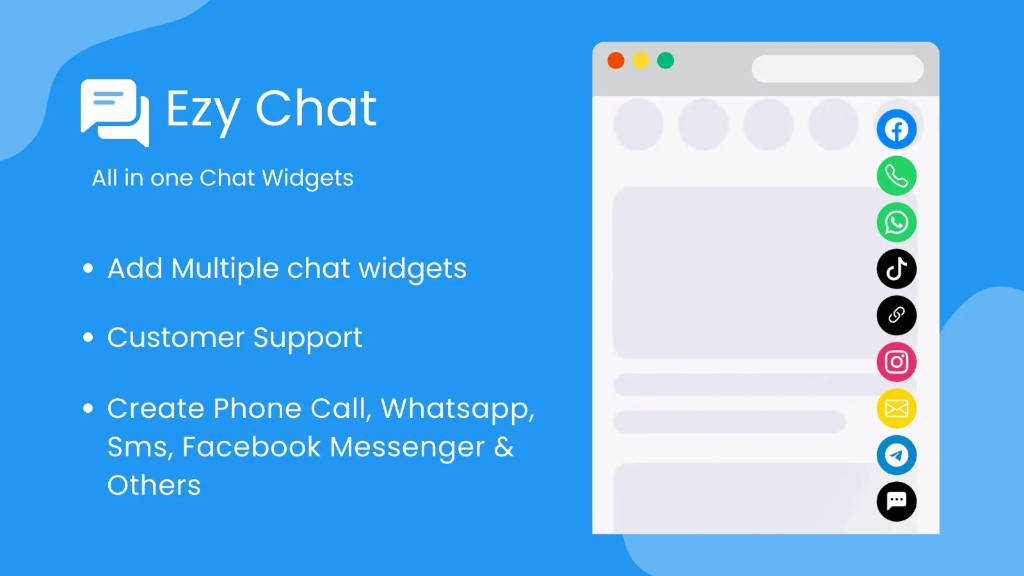
ChatPop Shopify multi chat widget showing WhatsApp, Messenger, Telegram, Instagram, phone, and social chat buttons
ChatPop: Multi Chat Widget — an all-in-one floating contact launcher for Shopify merchants who sell and support across messaging apps.

Quick answers

Short definitions first — then the full multi chat widget guide below.

What is ChatPop?

ChatPop: Multi Chat Widget is a Shopify app by Web6 that consolidates customer communication into one floating multi chat widget. Shoppers can open WhatsApp, Facebook Messenger, Telegram, Instagram, phone call, SMS, email, TikTok, or a custom link from a single expandable launcher instead of searching your footer for contact options.

Who is ChatPop for?

It is built for Shopify merchants who answer questions on multiple messaging apps — fashion, beauty, jewelry, electronics, furniture, food, wholesale, local retail, and service businesses. If your buyers already prefer WhatsApp or Messenger over email forms, a multi channel chat widget matches how they already communicate.

How is ChatPop different from a single WhatsApp button?

A single WhatsApp button is ideal when WhatsApp is your only support channel. ChatPop is for stores that also need Messenger, Telegram, Instagram, phone, email, or custom links in one UI. If you only need WhatsApp-first support, compare Ezychat: Whatsapp Chat Button.

How much does ChatPop cost?

On the Shopify App Store, Chatpop Pro is listed at $1.99 per month with a 7-day free trial. Chat Pro is listed as a $14.99 one-time charge. Both plans highlight multiple chat widgets, unlimited visitors, unlimited chat channels, customization, attention effects, custom location, and Agents pop-up. Confirm live pricing on the listing before install.

Do I need to edit theme code?

No for the standard install. Install from the App Store, choose channels, customize appearance, then publish the widget. Theme code edits are optional later if your team wants deeper placement via Shopify development services.

Will a floating chat widget slow my store?

ChatPop is designed as a lightweight storefront widget. Keep only the channels you actually staff, avoid stacking multiple competing chat apps, and re-check mobile LCP after install. Performance depends on theme health and how many third-party scripts already run.

Install ChatPop

Official Shopify App Store listing · From $1.99/mo

What is ChatPop: Multi Chat Widget?

A multi chat widget is a floating contact launcher that expands into several messaging and call options. Instead of one button for one channel, shoppers choose the app they already trust — WhatsApp for quick questions, Messenger for Facebook traffic, phone for urgent issues, or email for longer requests.

Shopify stores often grow channel by channel: a WhatsApp number in the header, a Messenger link in the footer, an Instagram bio mention, and a phone number on the contact page. That fragmentation creates friction. Mobile buyers abandon decisions when support feels hard to find.

ChatPop solves that UX problem with one sticky chat button that opens your supported channels. The App Store listing describes ChatPop as an all-in-one solution for customer communication across WhatsApp, Facebook Messenger, SMS, email, phone, Instagram, TikTok, Telegram, and more — with color, position, icon, and welcome-message customization.

On the storefront, the merchant value is simple: meet shoppers where they already chat, keep branding consistent, and reduce “how do I contact you?” tickets that never convert into conversations.

  • One launcher instead of scattered contact links
  • Channel choice that matches customer preference
  • Faster path from product question to human reply
  • Clearer mobile contact UX on product and cart pages
  • Brand-aligned colors and icons
  • Room to add channels as your support stack grows

Supported chat channels and practical use cases

ChatPop is built around multi-channel accessibility. The listing highlights WhatsApp, Facebook Messenger, Telegram, Instagram, phone, email, TikTok, SMS, and additional options. Use only channels your team can answer promptly — unused buttons create distrust faster than no button at all.

WhatsApp

WhatsApp is the default support inbox for many Indian and international shoppers. Use it for size questions, order status, COD confirmation, and photo-based product clarification. Pair ChatPop with Ezychat only when you intentionally want separate WhatsApp-first experiments; most stores should pick one primary WhatsApp entry point to avoid duplicate icons.

Facebook Messenger

Messenger helps when paid social or organic Facebook traffic drives product discovery. Shoppers already logged into Meta apps can continue the conversation without switching mental context. Keep response SLAs realistic for evening ad spikes.

Instagram

Instagram chat buttons help convert social commerce interest into a direct conversation. Useful for fashion, beauty, and jewelry brands where visual proof and styling advice close sales. Make sure the destination opens the correct Instagram messaging entry for your business account.

Telegram

Telegram is strong for international buyers and niche communities that prefer it over WhatsApp. Wholesale and export-facing catalogs often see Telegram as a quieter, document-friendly channel for quotations and bulk inquiries.

Phone call

A click-to-call button remains essential for high-ticket furniture, electronics, and B2B quotes. On mobile, call buttons remove dialing friction. Staff phone hours clearly in your greeting so callers know when humans are available.

SMS

SMS works when shoppers want a lightweight text thread without installing another chat app. It is especially useful for local stores and appointment-style service businesses. Confirm your SMS destination number and regional expectations before enabling the button.

Email

Email remains the right path for longer product comparisons, GST invoices, wholesale catalogs, and formal support trails. Including email in a multi chat widget gives buyers a slower, documented option beside instant messaging.

TikTok

TikTok destination buttons help brands that generate demand on short-form video reconnect shoppers with the same social inbox where the campaign started. Use it when your team actively monitors TikTok messages — not as decorative social proof.

Custom link / custom URL

Custom links let you route shoppers to a help center, booking calendar, WhatsApp Business API deep link, community page, or alternate contact form. This is also how many merchants approximate extra networks when a first-party icon is not listed — confirm behavior in the app admin after install.

Line, Viber, WeChat, and similar networks

Regional messengers matter for international shoppers. If your catalog serves buyers who prefer Line, Viber, or WeChat, verify whether ChatPop exposes a dedicated channel or whether a custom URL is the correct setup for your store. Do not enable a channel you cannot staff in that language or time zone.

Why multiple chat buttons matter on Shopify

Customer preference is not uniform. One shopper trusts WhatsApp, another prefers Messenger from an ad, and a third wants a phone call before paying for furniture. A multi chat widget respects that reality without turning your header into a social icon strip.

Customer preferences differ by market

Indian D2C traffic often defaults to WhatsApp. US and EU Facebook campaigns may convert better through Messenger. Export buyers may prefer Telegram or email. Offering choice increases the odds that a hesitant shopper starts a conversation instead of bouncing.

Mobile users need thumb-friendly contact paths

On mobile PDPs, a sticky floating chat button is easier than scrolling to a footer contact block. Multi-channel expanders keep the interface compact until the shopper decides which app to open.

International customers bring channel expectations

Cross-border stores cannot assume one messaging culture. A Shopify floating contact widget that includes regional options reduces “do you have WhatsApp?” friction for travelers and diaspora buyers.

Support speed improves when the right inbox is one tap away

When the button opens the channel your team already monitors, first-response time drops. That matters for size swaps, COD confirmation, and stock checks that otherwise become abandoned carts.

Lead generation and sales conversations stay continuous

Chat is not only support. Many Shopify merchants close sales in chat: custom sizing, bulk pricing, gift recommendations. A multi channel chat widget turns product interest into a tracked conversation in the shopper’s preferred app.

Trust rises when contact options look intentional

Scattered WhatsApp numbers and outdated Messenger links feel accidental. One branded launcher signals that your store expects conversation and is ready for it.

ChatPop features for Shopify merchants

Feature depth should match how your support team works. ChatPop’s App Store plans emphasize multiple chat widgets, unlimited visitors, unlimited chat channels, widget customization, attention effects, custom icon location, and Agents pop-up options. Below is how those capabilities translate into storefront outcomes.

Floating widget

A sticky chat button stays visible while shoppers browse products, collections, and cart. Floating placement keeps support available without competing with Add to Cart for primary focus.

Multiple chat channels

Enable the mix your team can actually answer. Unlimited chat channels on paid plans means you can grow from WhatsApp-only to a fuller multi channel chat stack as operations mature.

Custom colors

Match launcher and accent colors to your theme so the widget feels native rather than bolted on. Brand consistency matters for premium fashion and jewelry stores.

Custom icons

Icons help shoppers recognize WhatsApp, Messenger, phone, and other destinations instantly. Familiar icons reduce hesitation on first tap.

Widget position

Custom location controls help you avoid covering trust badges, payment icons, or sticky ATC bars. Test both desktop and mobile after changing corners or offsets.

Desktop and mobile support

The listing calls out WhatsApp icons and chat buttons on mobile and desktop. Validate tap targets on small screens and hover/expand behavior on desktop.

Open conversations in the right destination

Each channel should hand the shopper into the native app or web destination for that network. Confirm deep links for WhatsApp numbers, Messenger pages, and phone dialers after configuration.

Greeting / welcome message

Welcome messages set expectations: business hours, typical reply time, and what information to include. Clear greetings reduce angry “anyone there?” openers.

Call button and email button

Phone and email remain essential for high-consideration purchases and formal requests. Including them beside chat apps covers both urgent and asynchronous needs.

Attention effects

Subtle attention effects can increase discovery of the chat launcher without turning into distracting animation spam. Use sparingly on high-intent templates.

Agents pop-up

Agents pop-up options help present human availability cues. Keep agent information accurate — outdated avatars or offline claims damage trust.

Responsive, easy installation

Standard setup is app-admin configuration rather than Liquid surgery. That lowers launch risk for non-technical merchants while still allowing developer help later through Shopify app development services.

Performance-minded storefront scripting

A contact widget should stay lean. Limit channels, avoid duplicate chat apps, and measure Core Web Vitals after publish. If your theme is already heavy, fix theme debt first with ecommerce website development support.

Use cases by store type

The best channel mix depends on category and buyer urgency. Use these patterns as starting points, then prune anything your team cannot staff.

Fashion stores

WhatsApp and Instagram handle fit, fabric, and styling questions with photos. Messenger helps Meta ad traffic continue in-thread. Keep phone optional for VIP or bridal inquiries.

Jewelry

High consideration needs reassurance. Offer WhatsApp for custom designs, phone for appointment booking, and email for invoice or certification follow-ups.

Furniture

Dimension questions and delivery logistics convert better on call or WhatsApp with room photos. A click-to-call button often outperforms anonymous chat forms.

Electronics

Compatibility questions are common. WhatsApp and email work for screenshots of current devices; phone helps when purchases are urgent.

Beauty

Shade matching and routine advice thrive on Instagram and WhatsApp. Keep reply quality high — beauty shoppers notice delayed or generic answers.

Food and consumables

Local buyers may prefer phone or WhatsApp for same-day questions. SMS can help for delivery windows when chat apps are noisy.

Wholesale and B2B

Telegram, email, and phone support quotation workflows. A multi chat widget on B2B catalogs shortens the path from product page to sales conversation.

Local retail and service businesses

Call and WhatsApp dominate. Use ChatPop to keep both visible without cluttering every page with separate buttons.

Merchant benefits of an all-in-one Shopify chat widget

Benefits compound when channels are staffed and the widget is visible on high-intent pages. ChatPop is a contact-access layer — results depend on response quality and routing discipline.

Higher conversion potential on hesitant carts

When shoppers can ask a quick question without leaving the product page context, more of them continue to checkout. Pair chat access with operational tools like CartPulse when you also need visibility into live cart behavior.

Better customer experience

Choice reduces friction. A floating contact button that opens the preferred app feels respectful of how people already communicate.

Faster support handoff

Directing traffic into monitored inboxes beats generic contact forms that sit unanswered overnight.

Fewer abandoned decisions caused by uncertainty

Size, stock, delivery, and COD questions are classic abandonment drivers. Instant messaging access does not replace clear policies, but it rescues recoverable doubt.

More qualified inquiries

Shoppers who open WhatsApp or Messenger from a PDP usually arrive with a product in mind. That intent quality is higher than cold contact-page traffic.

International communication flexibility

Multi channel chat supports buyers who do not share your default messenger. That matters for export catalogs and tourist-facing brands.

Comparison: native Shopify, single WhatsApp button, and ChatPop

Choose the lightest stack that matches your support model. More buttons are not automatically better.

Contact approach comparison

Approach Best for Limit When to choose
Native Shopify contact form / footer links Low-volume stores with email-first support Slow, easy to miss on mobile, weak messaging-app fit You rarely chat with shoppers in real time
Single WhatsApp button (e.g. Ezychat) WhatsApp-dominant markets and lean teams No multi-channel launcher in the same UI WhatsApp is your only active inbox
Multiple separate chat apps Temporary experiments Icon clutter, script weight, conflicting positions Avoid long term — consolidate instead
ChatPop multi chat widget Stores staffing two or more messaging channels Requires channel hygiene and reply coverage You need one branded launcher for many destinations

If WhatsApp recovery after checkout abandonment is your priority rather than storefront chat access, evaluate EZ WhatsApp Abandoned Order as a complementary manual follow-up workflow — it helps merchants open pre-filled WhatsApp conversations, not automated API broadcasts.

Installation guide: add ChatPop to Shopify

A clean install is mostly configuration discipline. Enable fewer channels first, confirm each deep link, then expand.

  1. 1. Install from the Shopify App Store

    Open the official ChatPop listing, install the app on your store, and approve the required Online Store permissions so the widget can render on the storefront.

  2. 2. Configure your business destinations

    Add WhatsApp number, Messenger destination, phone number, email address, and any social profile links you plan to expose. Double-check country codes for phone and WhatsApp.

  3. 3. Choose channels deliberately

    Start with the two or three inboxes your team monitors daily. Unlimited channels are useful only when staffing can keep up.

  4. 4. Customize appearance

    Set colors, icons, position, welcome message, and attention effects so the launcher matches your theme and does not cover primary CTAs.

  5. 5. Publish and QA on real devices

    Test desktop and mobile product pages, cart, and homepage. Confirm each button opens the correct destination and that expand/collapse behavior feels stable.

Performance and Core Web Vitals considerations

A Shopify chat button should never become the reason your theme feels heavy. Treat ChatPop as one script among many and keep the total third-party footprint under control.

Lightweight contact widgets typically load asynchronously and only need enough JavaScript to render the launcher and hand off to native apps. Still, stacking ChatPop with other chat vendors, review popups, and heavy app embeds can degrade LCP and INP on mobile.

Practical safeguards: enable only needed channels, avoid duplicate WhatsApp buttons, re-test key templates after publish, and remove unused apps. If Core Web Vitals are already weak, fix theme and image debt before optimizing micro-interactions.

Web6 can help when widget placement intersects with deeper theme work — see Shopify development services and the Shopify app development company in Surat guide for context on how public apps and custom work fit together.

Customization: icons, colors, position, and visibility

Customization is how a multi chat widget becomes part of your brand system instead of looking like a generic plugin.

Icons and branding

Use recognizable channel icons and keep the launcher style aligned with your typography and color tokens. Over-customizing icons until they are unrecognizable hurts tap confidence.

Colors and spacing

Match accent colors to your primary or secondary brand color. Leave enough margin from screen edges and sticky bars so the widget never fights checkout UI.

Position and device behavior

Custom location controls help you choose corners that work for both desktop and mobile. After changes, verify the expanded channel list does not obscure product media or ATC.

Visibility discipline

If your plan and settings support visibility rules, prefer showing the widget where questions actually happen — product, collection, and cart — rather than forcing it onto every utility page.

Pricing plans

Pricing below reflects the public Shopify App Store listing at the time of writing. Always confirm live plan names and inclusions before purchase.

Chatpop Pro

$1.99 / month

7-day free trial

  • Multiple Chat Widget
  • Unlimited Visitor
  • Unlimited chat channels
  • Chat widget customization
  • Attention effects for the chat icon
  • Custom location for the chat icon
  • Agents Pop Up

Chat Pro

$14.99 one-time charge

Billed in USD per App Store terms

  • Multiple Chat Widget
  • Unlimited Visitor
  • Unlimited chat channels
  • Chat widget customization
  • Attention effects for the chat icon
  • Custom location for the chat icon
  • Agents Pop Up

Why merchants choose ChatPop by Web6

Web6 builds and supports ChatPop as a published Shopify app from Surat, India. The product focus is practical storefront communication — not inflated install claims or vanity metrics.

Built for real multi-channel support

ChatPop assumes shoppers already live in messaging apps. The widget is a bridge into those apps, not a replacement for your team’s reply quality.

Transparent App Store packaging

The listing is public at apps.shopify.com/ezy-all-in-one-chat-widgets with clear Pro pricing and trial terms. Evaluate features against your staffing model before enabling every channel.

Fits a broader Shopify stack

Combine ChatPop with WhatsApp-first tools, cart analytics, or custom app work when your workflow outgrows public apps. Explore Shopify app development services when you need proprietary routing or CRM sync.

Related Shopify apps and services

Use ChatPop for multi-channel storefront contact. Pair it with focused tools when your next bottleneck is WhatsApp-only UX, cart visibility, or recovery messaging.

Helpful Shopify references

Start helping customers faster with ChatPop

A Shopify multi chat widget works when it mirrors how your buyers already ask questions. ChatPop: Multi Chat Widget gives you one floating launcher for WhatsApp, Facebook Messenger, Telegram, Instagram, phone, SMS, email, TikTok, and custom links — with the customization controls needed to keep the experience on-brand.

Install thoughtfully: enable staffed channels only, QA every destination on mobile, and measure whether conversations actually increase. If you need WhatsApp-only simplicity, start with Ezychat. If you need multi-channel access in one UI, ChatPop is the clearer fit.

When you are ready, install from the Shopify App Store or talk to Web6 about channel strategy, theme placement, or custom Shopify app workflows.

FAQ

ChatPop FAQ — Shopify multi chat widget

WhatsApp, Messenger, Telegram, Instagram, phone, SMS, email, customization, performance, pricing, and setup.

What is a Shopify chat widget?

A Shopify chat widget is a storefront control — usually floating — that lets shoppers start a conversation or contact action without hunting through menus. ChatPop is a multi chat widget that opens several messaging and call destinations from one launcher.

What is ChatPop: Multi Chat Widget?

ChatPop is Web6’s Shopify app for all-in-one chat buttons. It is listed on the App Store as ChatPop: Multi Chat Widget under the ezy-all-in-one-chat-widgets handle.

How do I add multiple chat buttons on Shopify?

Install ChatPop, add each channel destination, customize the floating launcher, then publish and test on mobile and desktop. Avoid installing separate single-channel apps for every network if one multi chat widget can cover them.

Can I add WhatsApp and Messenger together?

Yes. ChatPop is designed to offer WhatsApp chat and Facebook Messenger together in the same expandable widget, along with other supported channels.

Does ChatPop work on mobile?

Yes. The App Store listing highlights chat buttons on mobile and desktop. Always QA tap targets and expanded lists on real phones after setup.

Can I customize colors and icons?

Yes. Paid plans include chat widget customization for appearance details such as colors, icons, position, and welcome messages. Confirm exact controls in the app admin.

Can I use Telegram?

Telegram is included among the messaging options described on the listing. Add your Telegram destination and verify the handoff opens correctly for your audience.

Can I add phone calls?

Yes. ChatPop supports phone / call-now style buttons so mobile shoppers can tap to dial. Publish clear business hours in your greeting where possible.

Can I add SMS and email buttons?

Yes. SMS and email are part of the multi-channel contact set described for ChatPop. Use them when those inboxes are actively monitored.

Does ChatPop support Instagram and TikTok?

The listing includes Instagram and TikTok among supported communication options. Enable them only if your team replies on those networks.

Can I add a custom URL?

Custom link / custom URL destinations are part of an all-in-one contact widget workflow. Use them for help centers, booking pages, or regional messengers when appropriate.

Does a floating chat button affect page speed?

Any storefront script can affect performance if your theme is already heavy or you stack multiple chat tools. Keep ChatPop lean, remove duplicates, and re-check Core Web Vitals after install.

Is there a free trial?

Chatpop Pro lists a 7-day free trial on the Shopify App Store. Confirm trial eligibility on the listing at install time.

How much is ChatPop?

Chatpop Pro is listed at $1.99 per month. Chat Pro is listed as a $14.99 one-time charge. Charges are billed in USD under Shopify App Store terms.

What is included in Chatpop Pro?

According to the listing: multiple chat widget, unlimited visitors, unlimited chat channels, customization, attention effects, custom location, and Agents pop-up.

Do I need coding skills to install ChatPop?

No for standard setup. Install from the App Store and configure channels in the app admin. Hire Shopify development help only if you need unusual placement or theme conflict fixes.

Where should I place the floating widget?

Choose a corner that does not cover Add to Cart, payment badges, or sticky bars. Test product, collection, and cart templates after changing position.

Can ChatPop replace my helpdesk?

No. ChatPop opens conversations in messaging apps and contact destinations. Ticket assignment, SLAs, and macros still live in your helpdesk or inbox workflows.

Should I enable every channel at once?

Usually no. Start with channels you answer quickly. Unused buttons create unanswered conversations and hurt trust.

How is ChatPop different from Ezychat?

Ezychat focuses on a WhatsApp chat button and greeting widget. ChatPop is the multi chat widget for several channels in one launcher. Choose based on how many inboxes you truly staff.

Can ChatPop help reduce abandoned carts?

Indirectly. Faster answers to size, shipping, and stock questions can rescue hesitant buyers. For merchant-led WhatsApp cart follow-up after abandonment, see EZ WhatsApp Abandoned Order.

Is ChatPop good for B2B Shopify stores?

Yes when buyers expect Telegram, email, or phone quotes from product pages. Pair the widget with clear wholesale policies and response ownership.

Can international customers use different messengers?

That is a core reason to use a multi channel chat widget. Offer the networks your international segments already use, and staff language coverage accordingly.

Does ChatPop include live chat agents inside Shopify admin?

ChatPop routes shoppers to external messaging and contact destinations. Agents pop-up is listed as a plan feature for presenting agent cues — confirm exact behavior in the app after install rather than assuming a full in-admin live chat suite.

What languages does ChatPop support?

The App Store listing lists English. Your greeting copy can still be written for your market language even when the admin UI is English.

When was ChatPop launched?

The App Store developer section lists the app launch date as May 7, 2024.

Who built ChatPop?

Web6, a Surat Shopify studio. Support for the app is provided by Web6 via the App Store listing and web6.in.

Can I use ChatPop with a custom Shopify theme?

Yes in typical Online Store setups. After install, QA the floating position against sticky theme elements. Theme conflicts are usually CSS/layout issues, not channel configuration problems.

How do I test ChatPop before going live to customers?

Use the trial window, enable a small channel set, and click every destination from mobile and desktop. Ask a teammate who was not involved in setup to complete the same QA.

What if I only want a phone call button?

You can enable a minimal channel set. If phone is truly your only need, evaluate whether a dedicated click-to-call app or ChatPop with a single enabled call button better matches your UX preference.

Can ChatPop show a welcome message?

Yes. The listing emphasizes welcome message customization so shoppers understand how and when you reply.

Does ChatPop work with Facebook and Messenger traffic?

Yes. Messenger support helps continue conversations that start from Facebook discovery or ads without forcing shoppers onto email forms.

How do I get help configuring ChatPop?

Use App Store support channels for ChatPop, or contact Web6 for broader Shopify UX and development help if widget placement needs theme changes.

Is ChatPop the same as a social follow bar?

No. ChatPop is for starting conversations and contact actions. A social follow/share bar such as Ezy Social Bar is for profile follows and product sharing — different intent.

Where can I install ChatPop?

Install from the official Shopify App Store listing: https://apps.shopify.com/ezy-all-in-one-chat-widgets. Then configure channels in your Shopify admin.
Ready to grow with Web6?

Book a free consultation with our Surat-based team. Clear advice on websites, Shopify, custom software, SEO, and growth — no theater.