Skip to content
Web6 home

Shopify Analytics App by Web6 · Surat

Track Live Shopify Carts and Shopper Activity in Real Time

See what shoppers view, add, remove, and change in active carts — plus traffic sources, UTM campaigns, and exportable cart-trend reports — before the order is placed.

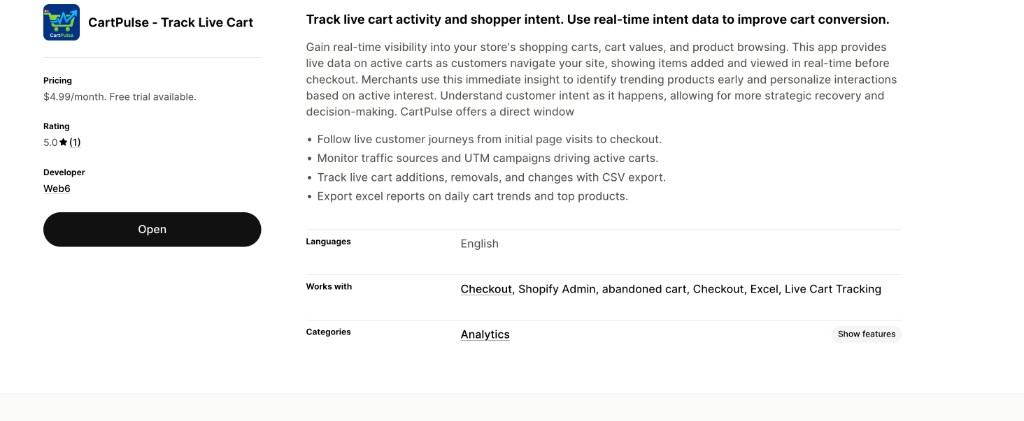
$4.99/mo · 7-day free trial · billed via Shopify

Pro $4.99 / month 7-day free trial 5.0★ (1 App Store review — verify on listing) Analytics category English Launched May 11, 2026 Built by Web6, Surat

Built and maintained by Web6 (Web6), a Surat Shopify studio.

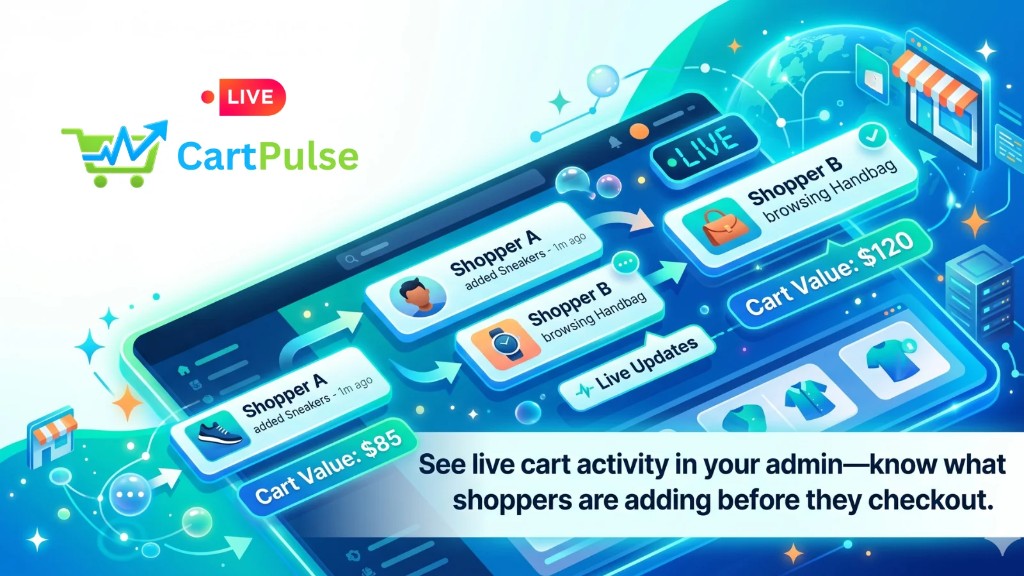
CartPulse Shopify live cart tracker marketing banner showing real-time cart analytics
CartPulse – Track Live Cart: live cart tracking, journey visibility, traffic sources, and CSV/Excel exports for Shopify merchants.

Quick answers

Short definitions first — then expand into the full guide below.

What is CartPulse – Track Live Cart?

CartPulse is a Shopify analytics app by Web6 that helps merchants monitor live carts, cart additions and removals, shopper journeys from page visits toward checkout, traffic sources and UTM campaigns, top cart products, and exportable CSV/Excel reports. The App Store listing may show “CartPulse ‑ Track Live Cart”; Web6 markets it as CartPulse – Track Live Cart.

How much does CartPulse cost?

Pro is $4.99 per month with a 7-day free trial. Billing runs through the Shopify App Store. Confirm the current price and trial terms on CartPulse on the Shopify App Store before installing.

Does CartPulse show active carts in real time?

Yes. The Pro plan includes an analytics dashboard and real-time cart analytics so you can watch cart activity as it happens, not only after carts are abandoned or orders are paid.

Can CartPulse track guest shoppers without email?

Where Shopify and web-pixel events expose session and cart activity, CartPulse can surface products viewed and cart changes even before contact details exist. It does not personally identify every anonymous visitor. A published merchant review describes journey visibility without contact details for some sessions — confirm behavior on your store after install.

Does CartPulse send abandoned-cart emails or WhatsApp messages?

No. CartPulse is analytics and live cart visibility. It does not claim automated email or WhatsApp recovery. For merchant-led WhatsApp follow-up, use a dedicated tool such as EZ WhatsApp Abandoned Order.

Can I export cart activity to CSV or Excel?

Yes. Listing features include tracking cart additions, removals, and changes with CSV export, plus Excel reports on daily cart trends and top products. Pro features also list export cart activity to CSV.

How is CartPulse different from Google Analytics 4?

GA4 is a general web analytics suite for traffic, funnels, and marketing attribution across many properties. CartPulse focuses on Shopify cart-level activity: live carts, cart changes, journey context toward checkout, and cart-product exports inside Admin-oriented workflows. Most stores benefit from using both rather than replacing GA4.

Does CartPulse replace Shopify Analytics?

No. Shopify Analytics remains your platform-native sales and traffic reporting. CartPulse complements it with live-cart and journey-oriented views that many merchants want when native reports feel laggy or cart-centric. The App Store listing shows 5.0 from 1 review — verify the live listing for updates.

What is a live cart tracker on Shopify?

A live cart tracker is analytics software that surfaces shopping carts while they are still open — including items added or removed, approximate cart value, and related browsing context — so merchants can understand demand before the cart becomes an abandoned cart, abandoned checkout, or completed order.

Shopify already records orders, abandoned checkouts, and many marketing reports. What merchants often lack is a clear window into carts that are active right now: which products are being considered, which campaigns fed the session, and how the shopper moved from early page views toward checkout. CartPulse – Track Live Cart sits in that gap as an Analytics-category App Store product from Web6.

The listing positions CartPulse around live customer journeys, traffic sources and UTM campaigns, cart additions/removals/changes with CSV export, and Excel reports for daily cart trends and top products. Pro features emphasize an analytics dashboard, real-time cart analytics, top cart products, CSV export, customer insights for all carts, and traffic & conversion performance views. Those are visibility and reporting capabilities — not automated recovery, session replay, or AI coaching.

It helps to keep four states distinct. An active (live) cart is a session where items exist in the cart and the shopper is still shopping or idle without a completed purchase. An abandoned cart is a cart that was built and then left without progressing through checkout in a meaningful way — definitions vary by tool. An abandoned checkout is Shopify’s more specific state: the shopper reached checkout and entered enough information for Shopify to create a recoverable checkout record, then left. A completed order is a paid (or otherwise finalized) order that left the cart funnel successfully.

CartPulse is most useful when you care about the active and recently active portion of that funnel: what people put in carts, what they remove, which products dominate cart activity, and which traffic sources feed those carts. Abandoned-cart and abandoned-checkout recovery tools answer a different question: how do we message people who already left? Use CartPulse to see; use recovery apps or Shopify’s native messaging to reach out — they are complementary, not substitutes.

Because CartPulse works with Checkout, Shopify Admin, abandoned cart, Excel, and Live Cart Tracking (per listing tags), expect an Admin-first workflow: install, open the app, watch dashboards and exports. Confirm exact menu labels and retention windows in your store after the trial starts.

Active cart (live cart)

Items are in the cart; the shopper may still be browsing. CartPulse’s live analytics are aimed at this state so you can see demand forming in near real time.

Abandoned cart

The shopper built a cart and left the store without completing purchase. Useful for merchandising diagnosis; recovery apps may message later if contact details exist.

Abandoned checkout

Shopify created a checkout record (typically after contact details) and the shopper did not complete payment. Native Shopify recovery and WhatsApp/email recovery apps usually target this state.

Completed order

The purchase finished. Shopify Analytics, order reports, and finance tools dominate here. CartPulse’s value is earlier: understanding how carts formed before this outcome.
Install CartPulse on Shopify

$4.99/mo · 7-day free trial · billed via Shopify

What CartPulse tracks for merchants

These tracking areas map to the App Store feature bullets and Pro plan capabilities. Each item includes what you typically see, why it matters, a concrete example, and an honest limitation.

Live customer journeys

Merchant sees: A path-oriented view of how a shopper moves from early page visits toward checkout-related steps, including products interacted with along the way where events are available.

Why useful: You can diagnose friction (for example, repeated PDP hops without add-to-cart, or add-to-cart followed by rapid removals) without waiting for end-of-day reports.

Example: A fashion merchant notices midday journeys that view three similar dresses, add one, then remove it after visiting the size guide — prompting a size-chart UX check rather than a discount blast.

Limitation: Journeys depend on pixel/event coverage and browser conditions. Ad blockers, partial sessions, and incomplete event firing can leave gaps. CartPulse does not claim session replay or heatmaps.

Cart additions, removals, and changes

Merchant sees: Item-level cart activity: what entered the cart, what left, and how the cart composition changed, with CSV export of cart activity on Pro.

Why useful: Add-to-cart volume without removals can look healthy while customers are silently rejecting price, shipping expectations, or variant fit. Removals make that visible.

Example: A accessories brand exports CSV rows showing a spike in removals of a new SKU after a price increase, then schedules a merchandising review before spending more on ads.

Limitation: Cart events are not the same as purchase intent certainty. Shoppers add items for comparison. Treat patterns as signals, not automatic “lost sale” counts.

Traffic sources and UTM campaigns

Merchant sees: Which channels and UTM-tagged campaigns are associated with active carts, supporting traffic & conversion performance style analysis inside the app.

Why useful: You can see which campaigns create carts — not only which create sessions — so paid and affiliate decisions are grounded in cart quality.

Example: A UTM campaign drives many sessions but few live carts; another campaign drives fewer sessions but denser carts. Budget shifts toward cart-forming traffic.

Limitation: UTM accuracy depends on correct tagging. Direct/dark social and stripped parameters will look ambiguous. CartPulse does not replace a full marketing attribution stack.

Top cart products

Merchant sees: Products that appear most often in carts (and related daily cart-trend reporting), exportable via Excel/CSV workflows described on the listing.

Why useful: Top sellers and top cart products can diverge. Cart leaders that rarely convert may need PDP, pricing, or inventory attention.

Example: A skincare kit ranks #2 in carts but underperforms in orders; the merchant investigates variant confusion and bundle copy.

Limitation: Top-cart lists are not guaranteed conversion rankings. Pair with Shopify order reports before reordering inventory solely on cart frequency.

Customer insights for carts

Merchant sees: Pro lists customer insights for all carts. Where customer fields are available (name, email, phone, address), merchants may see identity-linked cart context; otherwise session-level cart insight without full identity.

Why useful: Support and sales teams can understand what someone was considering when a ticket arrives, and marketers can prioritize high-value open carts when contact data exists.

Example: A returning customer with known email shows a high cart value mid-session; a merchant notes the SKU mix for a later human follow-up — without claiming CartPulse sent the message.

Limitation: Sensitive customer data access is disclosed on the App Store. Use it under your privacy policy and regional rules. CartPulse does not personally identify all anonymous visitors.

Device, browser, and approximate location context

Merchant sees: Device and activity permissions on the listing include geolocation, IP, browser/OS, browsing behavior, and client ID cookie. Merchants may therefore see approximate city/state/country and device/browser context when those signals are available.

Why useful: Mobile-heavy cart removals or region-skewed cart composition can explain support tickets and shipping promise mismatches.

Example: Cart activity groups on mobile Safari with higher removal rates on a variant picker that is harder to use on small screens.

Limitation: Location from IP/geo is approximate. VPNs and shared networks distort city-level reading. This is not precise individual tracking, and it is not a substitute for consent-aware privacy practices.

Live cart analytics dashboard

The Pro plan highlights an analytics dashboard and real-time cart analytics. This section explains how merchants typically use a live dashboard based on listing capabilities — confirm exact widgets during your trial.

A live dashboard is useful when your team asks “what is happening in carts right now?” during launches, flash sales, or paid-traffic spikes. Instead of waiting for Shopify’s delayed aggregates or reconstructing stories only from completed orders, you watch cart formation as a operational signal.

Expect the dashboard to center on cart activity and related performance views: open carts, changes to cart contents, top cart products, and traffic/conversion-oriented summaries. Exact widgets and filters should be confirmed in the trial — product UI evolves.

Operationally, assign one owner (founder, growth lead, or CX lead) to check the dashboard during peak hours for the first two weeks after install. Write down three recurring patterns (for example, removals after shipping page views, carts from a specific UTM that never progress, or a SKU that dominates carts). Those patterns become backlog tickets for theme, pricing, or campaign fixes.

Do not treat a live dashboard as an alerting or paging system unless you later confirm alert features with the product owner. The public listing emphasizes monitoring, journeys, and exports — not push alerts, Slack bots, or automated recovery.

Real-time cart analytics

Watch additions, removals, and cart composition while sessions are still warm. Use it for launch QA and campaign monitoring, not only post-mortem reporting.

Analytics dashboard

A central place in Admin workflows to review cart trends, top products, and traffic performance without hopping across unrelated tools for every cart question.

Customer insights for all carts

Pro lists insights across carts. Interpret this as cart-level understanding for sessions you can see — including identity fields when Shopify/app permissions expose them — not as a guarantee that every visitor is named.

Traffic & conversion performance

Connect cart activity back to sources and campaigns so “traffic” is judged partly by cart quality. Still keep GA4/Shopify Analytics for broader funnel and revenue reporting.

Live customer journeys from visit to checkout

The listing feature “Follow live customer journeys from initial page visits to checkout” is the narrative spine of CartPulse. Event types below stay within what journey language and published merchant feedback make plausible — not session replay or heatmap claims.

  1. Initial page visits

    Early browsing context for the session: landing and subsequent pages that start the journey before a cart exists.

  2. Product and collection browsing

    Products and collections viewed as the shopper explores. Listing data access includes products/collections and browsing behavior; a merchant review paraphrase also supports seeing products viewed without contact details in some cases.

  3. Add to cart

    The moment an item enters the cart — the core intent signal CartPulse is built to surface in live analytics.

  4. Cart removals and quantity changes

    Adjustments after the first add reveal hesitation, comparison shopping, or sticker shock. Listing copy explicitly calls out additions, removals, and changes.

  5. Progress toward checkout

    Journey framing toward checkout helps you see whether shoppers who build carts continue into checkout-related steps. Exact checkout-step labels depend on your storefront and should be verified in-app.

Merchandising QA during launches

Watch whether new PDPs produce adds or only views. If journeys stall on a new collection template, fix UX before scaling ads.

Support context

When a shopper later messages you, journey and cart context (when available) reduce back-and-forth about “which product were you looking at?”

Campaign honesty checks

Compare journeys from two UTMs: one may create shallow browses; another may create deeper cart-building paths.

Honest non-uses

Do not expect CartPulse to reconstruct every pixel as a video replay, score shoppers with AI, or guarantee identification of anonymous visitors.

Top cart products vs top sellers

Top cart products are SKUs that appear most frequently in shopping carts over a period. Top sellers are SKUs that generate the most completed orders or revenue. They overlap often — but the gaps are where CartPulse earns its keep.

Merchants sometimes optimize only for bestsellers and ignore cart leaders that fail to convert. A product can win the “consideration” contest and lose the “purchase” contest because of shipping cost surprises, missing size guidance, weak imagery, or stock messaging.

CartPulse’s listing emphasizes top products in Excel reports and “view top cart products” on Pro. Use those lists as a weekly merchandising input: export, compare against Shopify’s products by units sold, and investigate mismatches.

During promotions, top cart products can shift quickly. A gift-with-purchase SKU may flood carts without becoming a profitable hero product. Separate promotional cart noise from evergreen cart demand when you plan replenishment.

For bundles and multi-variant products, confirm how the app attributes line items after install. Until verified, treat variant-level conclusions carefully and prefer product-level patterns that match what you see in exports.

High cart share, low order share

Investigate PDP clarity, reviews, shipping thresholds, and payment options. Consider a human follow-up process for high-value carts when contact details exist — outside CartPulse’s analytics scope.

Low cart share, high order share

The product may be a purposeful purchase with less browsing. Protect availability and avoid burying it in navigation.

Sudden cart spike after an ad

Confirm landing-page congruence. If the ad promises a colorway that is hard to find on-site, expect adds of substitutes and later removals.

Traffic sources, UTMs, and cart quality

Listing copy calls out monitoring traffic sources and UTM campaigns driving active carts, plus traffic & conversion performance on Pro.

Session traffic alone is a vanity lens when carts are empty. CartPulse’s angle is cart-aware: which sources produce active carts and cart changes, not merely page views.

Keep UTM hygiene boring and strict. Standardize source/medium/campaign across ads, email, influencers, and affiliates. Broken UTMs make any cart-source report look noisier than your media plan.

Use CartPulse beside GA4: GA4 for acquisition and sitewide behavior modeling; CartPulse for Shopify cart-centric operational views and exports your ops team will actually open in Admin.

“Conversion performance” in an analytics app should be read as performance reporting around cart/traffic outcomes available in the product — not as a guaranteed uplift percentage from installing the app.

CartPulse vs Google Analytics 4 (fair comparison)

Topic CartPulse Google Analytics 4
Primary job Live Shopify carts, journeys toward checkout, cart exports Cross-site traffic, events, audiences, and marketing analytics
Where teams work Shopify Admin–oriented app workflows GA4 property UI, BigQuery, ad platforms
Cart depth Built around live cart additions/removals/changes Possible with custom ecommerce events; not Shopify-cart-native by default
UTM / source Monitors sources/UTMs tied to active carts (per listing) Strong acquisition reporting and exploration
Replacement? No — complements Shopify Analytics and GA4 No — does not replace Shopify order truth or live-cart ops views

Location, device, and browser context

App Store data access lists geolocation, IP, browser/OS, browsing behavior, and client ID cookie under device and activity. That permission set supports approximate geo and device/browser reporting with privacy caveats.

Approximate city, region/state, and country can help explain shipping expectation mismatches and regional demand. If carts from a region spike for heavy items, revisit shipping copy and delivery promises for that audience.

Device and browser/OS context helps theme and CX teams prioritize fixes. A removal spike on a particular mobile browser is a QA ticket, not a discount strategy.

IP and geo are imperfect. Corporate networks, mobile carrier NATs, and VPNs can place a shopper in the wrong city. Use geo as directional context, not as courtroom evidence.

Client ID cookies support distinguishing sessions/devices in analytics fashion. They do not grant magical identity of every anonymous human. Combine cookie-based session continuity with your privacy policy disclosures at our privacy policy.

Geolocation and IP-derived location are approximate. VPNs and shared networks reduce precision. CartPulse’s data access allows these signals when available; merchants must still honor consent, disclosure, and regional privacy obligations. See our privacy policy and the App Store data access section on the listing.

Metrics glossary for live cart analytics

Use these definitions when reading CartPulse dashboards and exports. Exact metric names in the UI may vary — confirm labels in-app.

Active / live carts

Carts with items that appear currently or recently active in the live analytics view.

How to interpret: A pulse on present demand during campaigns and peak hours.

Common mistake: Treating every active cart as a nearly closed deal.

Add-to-cart events

Counts or rows showing items entering carts.

How to interpret: Interest and consideration strength for SKUs and campaigns.

Common mistake: Equating adds with revenue without checking orders.

Cart removals

Items leaving carts after being added.

How to interpret: Friction, comparison behavior, or expectation mismatch.

Common mistake: Assuming every removal is a pricing failure (some are normal comparison).

Cart changes

Quantity edits and composition updates beyond simple add/remove.

How to interpret: Shoppers refining baskets — useful for bundle and upsell design.

Common mistake: Ignoring changes and only watching net cart count.

Top cart products

SKUs most present in carts over a period.

How to interpret: Consideration leaders; compare to top sellers.

Common mistake: Reordering inventory solely from cart frequency.

Traffic source / UTM on carts

Channel or campaign associated with cart activity.

How to interpret: Cart quality by acquisition path.

Common mistake: Optimizing to sessions when carts from that source are empty.

Daily cart trends

Day-level movement in cart activity (exportable via Excel reports per listing).

How to interpret: Seasonality and launch effects on cart behavior.

Common mistake: Reading one noisy day as a permanent trend.

Customer insights (cart-level)

Pro feature language for understanding carts, including identity fields when available.

How to interpret: Operational context for CX and selective follow-up processes you run elsewhere.

Common mistake: Believing all visitors are identified or that the app sends recovery messages.

Reports and exports

CartPulse emphasizes exportable reporting: CSV for cart activity and Excel for daily cart trends and top products, alongside dashboard analytics.

CSV export of cart activity

Use for spreadsheets, BI tools, or sharing a slice of cart events with a freelancer or agency without giving full Admin access.

Excel reports on daily cart trends

Useful for weekly merchandising meetings: chart cart volume against campaigns and site changes.

Top products reports

Export leaders in carts, then reconcile with Shopify product reports for conversion gaps.

Traffic & conversion performance views

Review inside the app for source-oriented cart performance; keep finance-grade revenue reporting in Shopify.

Export formats and column schemas can change as the product evolves. After install, generate one sample CSV and one Excel report, archive them, and document columns your team relies on. Do not assume Google Sheets auto-sync unless you build that separately.

CartPulse vs Shopify Analytics

Shopify Analytics is the platform system of record for many sales and traffic reports. CartPulse adds live-cart and journey-oriented analytics that merchants often want when they need cart operations visibility.

Side-by-side

Need Shopify Analytics CartPulse
Live open-cart monitoring Not the primary mental model; stronger on aggregates and sales Real-time cart analytics and live tracking focus
Orders and revenue truth Primary Complementary context earlier in the funnel
UTM / marketing reports Strong native marketing reports UTM/source emphasis on active carts per listing
CSV/Excel cart-trend exports Various exports exist; not the same as CartPulse’s cart-activity framing Listing highlights CSV cart activity and Excel cart-trend/top product reports
Abandoned checkout recovery sending Native abandoned checkout email tools available Not a sender — analytics visibility (works-with includes abandoned cart as a context tag)

Keep Shopify Analytics installed in your weekly rhythm. Add CartPulse when your question is “what is in carts right now, how did those shoppers browse, and what should we export for merchandising?” — not when you want to replace Shopify’s order reporting.

Live cart tracking vs abandoned cart recovery

Live cart tracking observes carts while shoppers are still active or recently active. Abandoned cart / abandoned checkout recovery messages people who left, usually after contact details exist.

Teams blur these because both mention “carts.” The workflows differ. Tracking answers diagnosis and prioritization. Recovery answers outreach. CartPulse is firmly on the tracking/analytics side per its App Store category and feature list.

A healthy stack often looks like: CartPulse (see live carts and journeys) + Shopify abandoned checkout emails + optionally a WhatsApp recovery app for markets where WhatsApp is the primary inbox. Chat buttons (Ezychat) help hesitant shoppers ask questions; they also are not automated recovery sequences.

If you only install recovery tools, you may message symptoms without fixing PDP or shipping friction that CartPulse journeys would have revealed. If you only install CartPulse, you will see problems but still need a sending channel to re-engage identified checkouts.

  1. 1. Browse and build cart

    CartPulse journeys and live cart analytics are most relevant.

  2. 2. Enter checkout details

    Identity fields may appear; abandoned checkout becomes possible if they leave.

  3. 3. Leave without buying

    Recovery email/WhatsApp tools matter; CartPulse still helps explain what was in the cart.

  4. 4. Complete order

    Shopify Analytics and order ops dominate; cart history remains useful for post-purchase insights.

Practical merchant use cases

Each use case pairs a report or view with a business question, an action, and a caution so teams do not over-claim outcomes.

Flash sale monitoring

Real-time cart analytics dashboard

Question: Are carts actually forming during the sale window?

Action: Fix broken discount UX or sold-out variants immediately if adds stall.

Caution: CartPulse is for monitoring, not push alerts — assign a human to watch the dashboard during peak hours.

Paid traffic quality

Traffic sources / UTM campaigns on active carts

Question: Which campaigns create carts, not just clicks?

Action: Shift budget toward cart-forming UTMs; pause empty-cart traffic.

Caution: Fix UTM tagging before blaming the channel.

Merchandising gaps

Top cart products vs Shopify top sellers

Question: Which consideration leaders fail to convert?

Action: Improve PDP, shipping messaging, or social proof on gap SKUs.

Caution: Do not delist a cart leader without reading removal reasons and reviews.

Weekly ops export

CSV cart activity + Excel daily trends

Question: What changed week over week in cart behavior?

Action: Bring exports to merchandising standup; log site changes beside spikes.

Caution: One noisy influencer day can skew averages — annotate anomalies.

CX preparation

Customer insights / journey context when available

Question: What was this shopper looking at before they contacted us?

Action: Train support to glance at cart context before replying.

Caution: Respect privacy; limit staff access to sensitive customer fields.

Mobile UX triage

Device/browser context with removal patterns

Question: Is a mobile browser driving unusual removals?

Action: QA variant pickers and sticky ATC on that device class.

Caution: Geo/IP device signals are approximate — verify with real devices.

Launch retrospective

Journey paths for a new collection

Question: Did shoppers find the new products and add them?

Action: Adjust navigation or collection filters if journeys miss the launch set.

Caution: Journey gaps can be tracking gaps — confirm pixels if data looks empty.

Agency accountability

UTM cart performance exports

Question: Is our agency delivering cart-quality traffic?

Action: Put cart-forming metrics into the agency scorecard beside ROAS.

Caution: CartPulse does not replace ad-platform attribution windows.

How to install and evaluate CartPulse

A practical trial plan for merchants who want signal within seven days — without pretending the UI has features the listing does not state.

  1. Step 1: Install from the Shopify App Store

    Open CartPulse on the Shopify App Store, install on a development store or production store you control, and complete Shopify’s permission prompts carefully. Read data access disclosures before approving.

  2. Step 2: Confirm web pixels / storefront tracking

    Listing data access includes store analytics web pixels. Ensure the app’s required pixels or embeddings are active and that you are not blocking them in a tag manager test workspace.

  3. Step 3: Walk the live dashboard

    Create a test session: browse, add, remove, and approach checkout. Verify those events appear in real-time cart analytics. Note any delays.

  4. Step 4: Tag a known campaign

    Visit the store with a documented UTM. Confirm the session/cart associates to that campaign in traffic views.

  5. Step 5: Export once

    Generate a CSV of cart activity and an Excel-style trends/top products report. Save samples for your team’s column dictionary.

  6. Step 6: Define a weekly ritual

    Pick 30 minutes weekly: top cart products, removal notables, UTM cart quality, and one UX ticket. CartPulse pays off as habit, not as a one-time install.

  7. Step 7: Decide after the trial

    Keep Pro at $4.99/month if the dashboard and exports changed decisions. Uninstall cleanly via Shopify Admin if not — and remove unused pixels.

During the 7-day free trial, schedule one peak-traffic hour watch and one quiet-hour watch. Live analytics products feel different under load; a single lunchtime test can understate value.

Data access, privacy, and merchant duties

CartPulse’s App Store listing discloses access to sensitive customer data and device/activity signals. Treat that disclosure as mandatory reading — not fine print.

Sensitive customer data

View customer name, email, phone, and address when available. Use only for legitimate store operations and disclosed purposes.

Device and activity

Geolocation, IP, browser/OS, browsing behavior, and client ID cookie support analytics context such as approximate location and device/browser reporting.

Customers’ browsing behavior

View/edit style access to browsing behavior underpins journey and cart analytics. Minimize staff exposure to raw behavioral data.

Products and collections

Needed to interpret what shoppers view and put in carts in catalog terms.

Orders (last 60 days)

Listing access includes orders for the last 60 days — useful for relating cart behavior to recent order context. Confirm how the app uses this in your install.

Store analytics web pixels

Pixels enable storefront event collection that powers live analytics. Audit your pixel stack so you know what fires on storefront pages.

Merchant duties

  • Keep our privacy policy and checkout privacy links accurate for your storefront and regions you sell to.
  • Limit Admin staff who can open identity-bearing cart views.
  • Do not export customer PII to shared inboxes or public sheets.
  • Honor opt-outs and regional requests using your existing Shopify and legal processes.
  • Remember approximate geo is not precise tracking — say so if customers ask.
  • CartPulse does not replace your obligation to configure cookie/consent tooling required in your markets.

Storefront performance and analytics apps

Analytics apps that use web pixels add storefront work. Responsible merchants validate theme performance after install rather than assuming zero cost or guaranteed Core Web Vitals.

CartPulse relies on store analytics web pixels per its data access disclosures. Pixels are normal in Shopify stacks, but every pixel is script work on the critical path or in deferred queues depending on implementation.

After install, re-check key templates (home, collection, PDP, cart) on mobile. If you already struggle with INP or LCP, audit the full app and tag stack — not CartPulse alone. Web6 can help with performance-minded Shopify work through Shopify development and has published speed-oriented case study material under case studies.

CartPulse is not positioned as a Core Web Vitals improver, nor as zero-impact. Measure your store before/after, keep unused apps uninstalled, and prefer async/deferred patterns where Shopify and the app allow.

If you need custom analytics with stricter performance budgets than a public app allows, talk to Web6 about private app or pixel engineering at custom Shopify app development.

CartPulse pricing

Simple Pro plan via Shopify App Store billing

Pro

$4.99 / month

  • Analytics dashboard
  • Real-time cart analytics
  • View top cart products
  • Export cart activity to CSV
  • Customer insights for all carts
  • Traffic & conversion performance

7-day free trial

Charges are billed through Shopify’s app billing. Currency presentation may vary by store; the listing price referenced here is $4.99 / month USD-style App Store pricing. Cancel from Shopify Admin subscriptions if you decide not to continue after the trial.

Price, trial, and Pro feature list sourced from the Shopify App Store listing for CartPulse – Track Live Cart (CartPulse on the Shopify App Store). Verify live listing details before purchase.

Merchant feedback on the App Store

5.0 from 1 review on the Shopify App Store

In a July 8, 2026 App Store review from Hellboy (India), the merchant described CartPulse as useful for watching live cart activity and understanding shopper journeys — including visibility into products people view and add even when contact details are not yet available — and recommended it for merchants who want clearer cart-side insight. Read the full wording on the App Store listing.

Single-review ratings can change quickly. One 5.0 score is not a crowd consensus. Always read current reviews on the App Store and judge the trial against your own store’s traffic patterns.

Read the review on the Shopify App Store

Related resources and apps

CartPulse pairs well with recovery, support, and development resources from Web6 — each with a distinct job.

External documentation

FAQ

CartPulse FAQ — Shopify live cart tracker

Live carts, journeys, UTMs, exports, pricing, privacy, and how CartPulse differs from GA4 and abandoned-cart recovery.

What does CartPulse – Track Live Cart do?

It provides Shopify live cart tracking and add-to-cart oriented analytics: journeys from page visits toward checkout, cart additions/removals/changes, traffic sources and UTMs, top cart products, and CSV/Excel exports, via a Pro analytics dashboard.

Is CartPulse free?

No free forever plan is listed. Pro is $4.99/month with a 7-day free trial on the Shopify App Store.

How long is the CartPulse trial?

7 days. Install, test with real traffic if possible, export sample reports, then keep or cancel.

Who developed CartPulse?

Web6 (https://web6.in), based in Surat, India.

When did CartPulse launch?

May 11, 2026, per the Shopify App Store listing.

What category is CartPulse in?

Analytics on the Shopify App Store.

What language is supported?

English, per the Shopify App Store listing.

Does CartPulse work with Shopify Admin?

Yes. Works-with tags include Shopify Admin, Checkout, abandoned cart, Excel, and Live Cart Tracking.

Can I monitor UTM campaigns?

Yes. The listing includes monitoring traffic sources and UTM campaigns driving active carts.

Can I export to CSV?

Yes. Cart activity CSV export is listed, along with Excel reports for daily cart trends and top products.

Does CartPulse show top cart products?

Yes. Pro includes view top cart products, and Excel reports cover top products.

Is there a live dashboard?

Pro includes an analytics dashboard and real-time cart analytics aimed at live cart monitoring.

Does CartPulse send abandoned cart emails?

No. It is not positioned as an email recovery sender. Use Shopify’s native tools or a recovery app for outreach.

Does CartPulse send WhatsApp recovery messages?

No. For manual WhatsApp cart and order follow-up, consider EZ WhatsApp Abandoned Order. CartPulse remains analytics.

Does CartPulse include session replay?

No. Do not expect video-style session replay or heatmaps from the public listing features.

Does CartPulse use AI insights?

The App Store listing does not claim AI insights. Treat CartPulse as merchant-readable analytics and exports.

Can CartPulse identify every anonymous visitor?

No. It can show journey/cart activity without contact details when events allow, but it does not personally identify all anonymous visitors.

What customer data can the app access?

The listing discloses view access to sensitive customer data (name, email, phone, address when available), plus device/activity signals and other scopes described in the privacy section of this page.

Does CartPulse access orders?

Data access includes orders for the last 60 days. Confirm how that appears in your installed app.

Are location reports precise?

No. IP/geolocation-derived location is approximate and can be wrong with VPNs or shared networks. Use it directionally.

Can I see browser and device info?

Device and activity permissions include browser/OS and related signals, so device/browser context may be available with the usual privacy caveats.

Does CartPulse replace GA4?

No. Use GA4 for broad web analytics and CartPulse for Shopify live-cart operational views.

Does CartPulse replace Shopify Analytics?

No. It complements Shopify Analytics with live-cart and journey-focused reporting.

Will CartPulse increase my conversion rate by X%?

No conversion uplift percentage is promised. Better visibility can inform fixes; outcomes depend on your execution.

Does CartPulse guarantee Core Web Vitals?

No. Measure performance after install. Analytics pixels are not a CWV guarantee.

Is multi-store management included?

Multi-store management is not listed as a feature. Use Shopify’s own org/store tooling and verify per install.

Can I copy checkout links from CartPulse?

Checkout-link copy is not listed as a verified App Store feature. Confirm in-product after install if that workflow matters to your team.

Does CartPulse show Google SEO keywords?

No. Any search reporting you see in Shopify Admin Top Searches (if available) is on-site store search, not Google SEO keywords.

How many reviews does CartPulse have?

The App Store listing shows 1 review with a 5.0 rating. Check the live listing for updates.

Where can I read the merchant review?

On the App Store listing: https://apps.shopify.com/cartpulse-track-live-cart.

What is the difference between abandoned cart and live cart?

Live carts are still active or newly active. Abandoned carts/checkouts are left behind; recovery tools message those later when possible.

Can agencies use CartPulse with clients?

Yes as an analytics aid, provided client privacy policies and Admin access practices allow it. Export carefully and avoid spreading PII.

Where is Web6’s privacy policy?

https://web6.in/privacy/ (path /privacy/ on this site).

Can Web6 build custom cart analytics?

Yes. See /services/shopify-app-development/ or /contact/ for private apps and custom dashboards beyond CartPulse’s public scope.

Ready to grow with Web6?

Book a free consultation with our Surat-based team. Clear advice on websites, Shopify, custom software, SEO, and growth — no theater.